
This guide shows you the quickest way to turn off YouTube Shorts on iPhone or Android—just 5 simple steps to turn off YouTube Shorts completely. If you're looking for a way to spend less time watching YouTube Shorts, there is a new feature that will help you. Google recently introduced a new feature to set Shorts Feed limit time to 0 minutes.
Many users want to turn off YouTube Shorts to reduce screen time and distractions. YouTube's Daily Limits feature lets you turn off YouTube Shorts completely, helping you manage your digital wellness.
In the YouTube app, tap the "You" or Profile tab with your account icon.
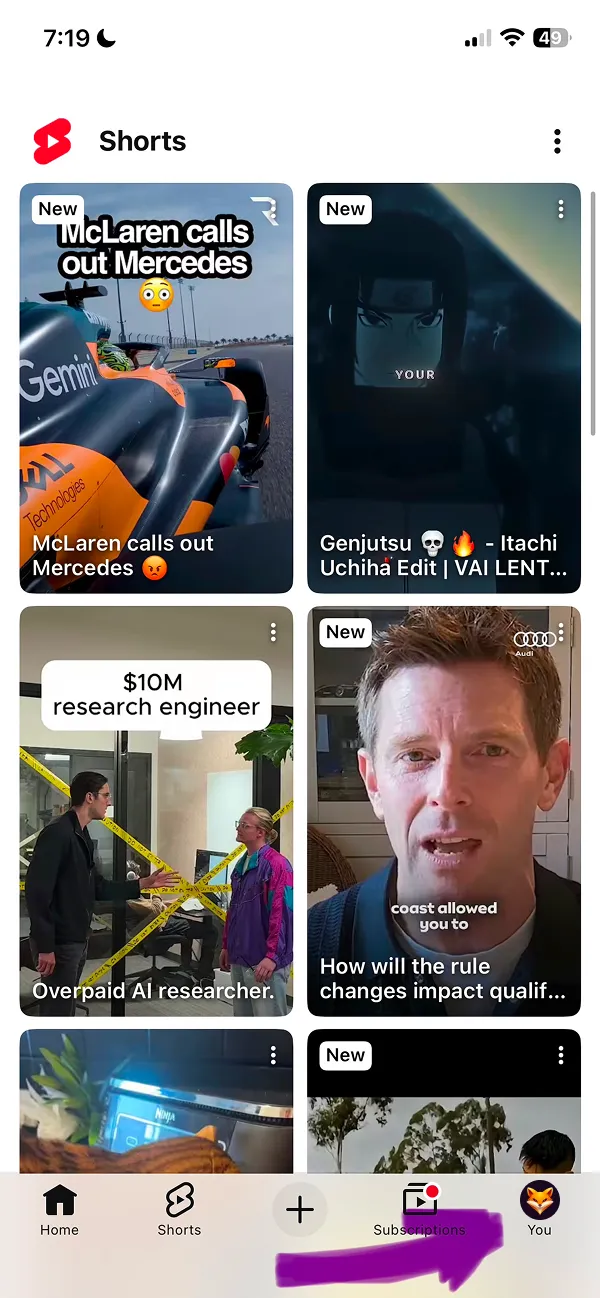
Watch the short 2-minute video guide for a faster walkthrough, or scroll down to follow the written tutorial with screenshots.
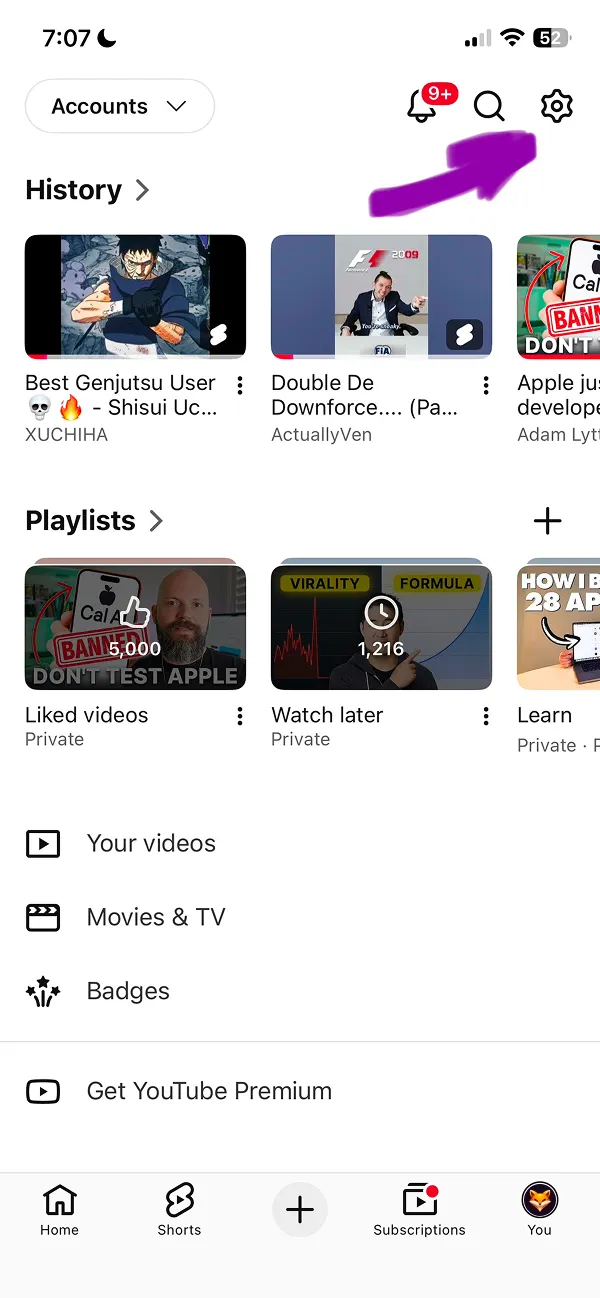
Then tap the "Settings" icon that looks like a gear on the top right side of the screen, where the arrow shows.
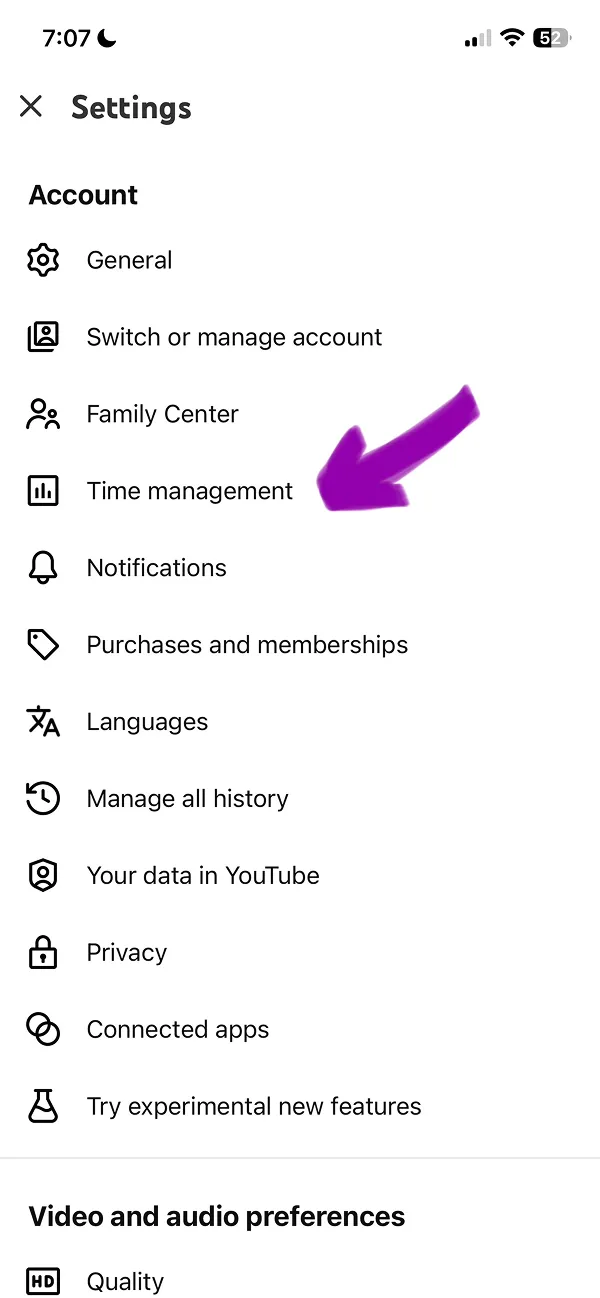
At the Settings Screen, tap the Time Management option, where the arrow shows on a screenshot.
Important tip: this is a new feature and it still might not be shown in all YouTube apps for iOS and Android. The feature should appear with future YouTube updates.
Scroll the Time Management page and at the bottom of the page find Shorts Feed Limit Toggle in Daily Limits section. Tap this toggle to activate daily limits and turn off YouTube Shorts.
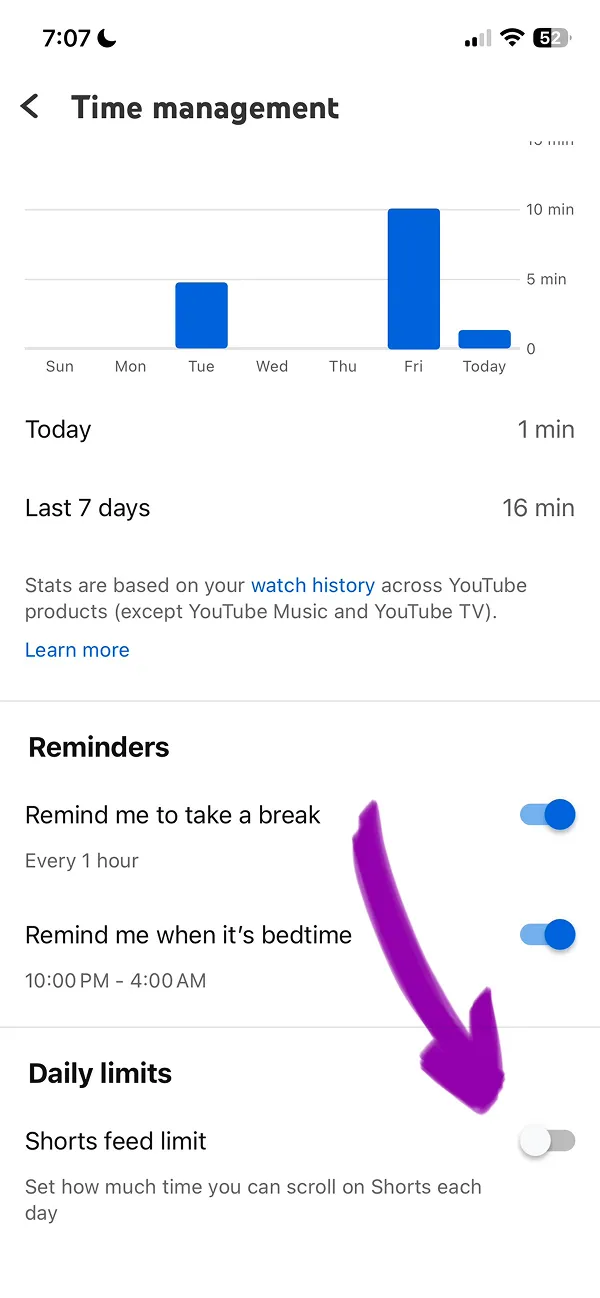
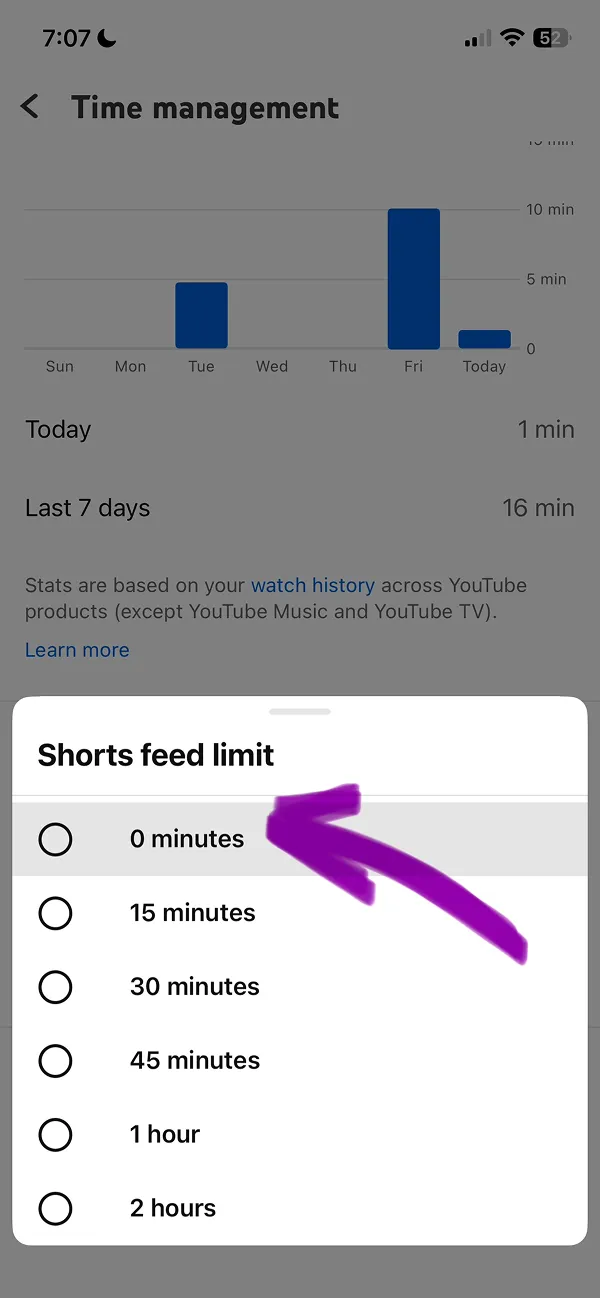
Final step. Set the Shorts feed limit time settings to 0 minutes. That's it, now you turned off YouTube Shorts! Keep reading to see how this works in YouTube app.
When Shorts feed limit is set to 0 minutes, Shorts should be hidden from the Home page feed. This could help you to reduce your screen time watching YouTube.

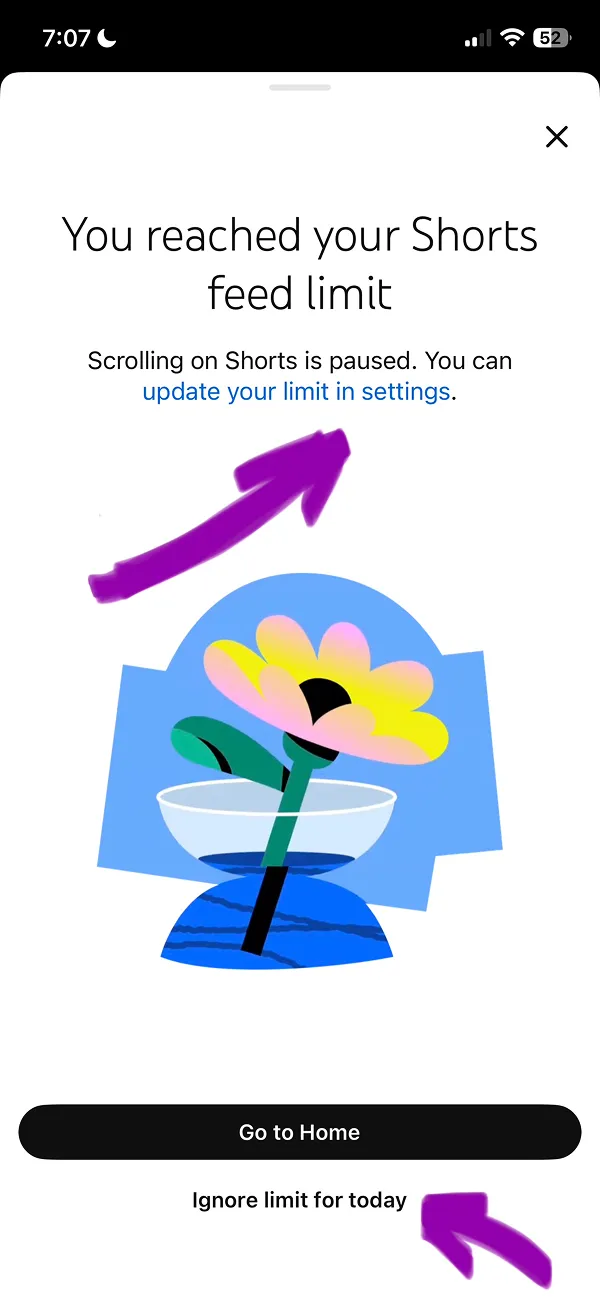
The Shorts tab will remain in the app; however, after several minutes of watching you will see the Shorts feed limit screen. From this screen you can change your limit in YouTube settings or ignore limit for today. Both options are highlighted on the screen with arrows.