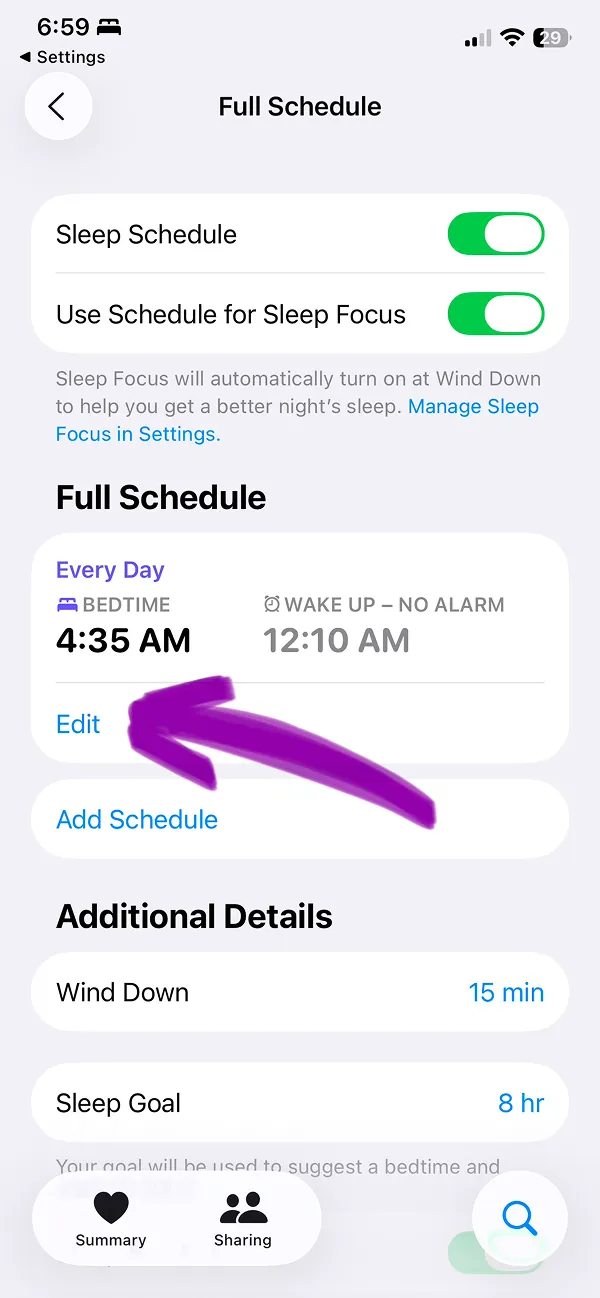


Sleep Mode or Sleep Focus is an iPhone feature that helps to block notifications and calls during sleep. This guide will help you to know how to disable Sleep mode on iPhone when you need to.
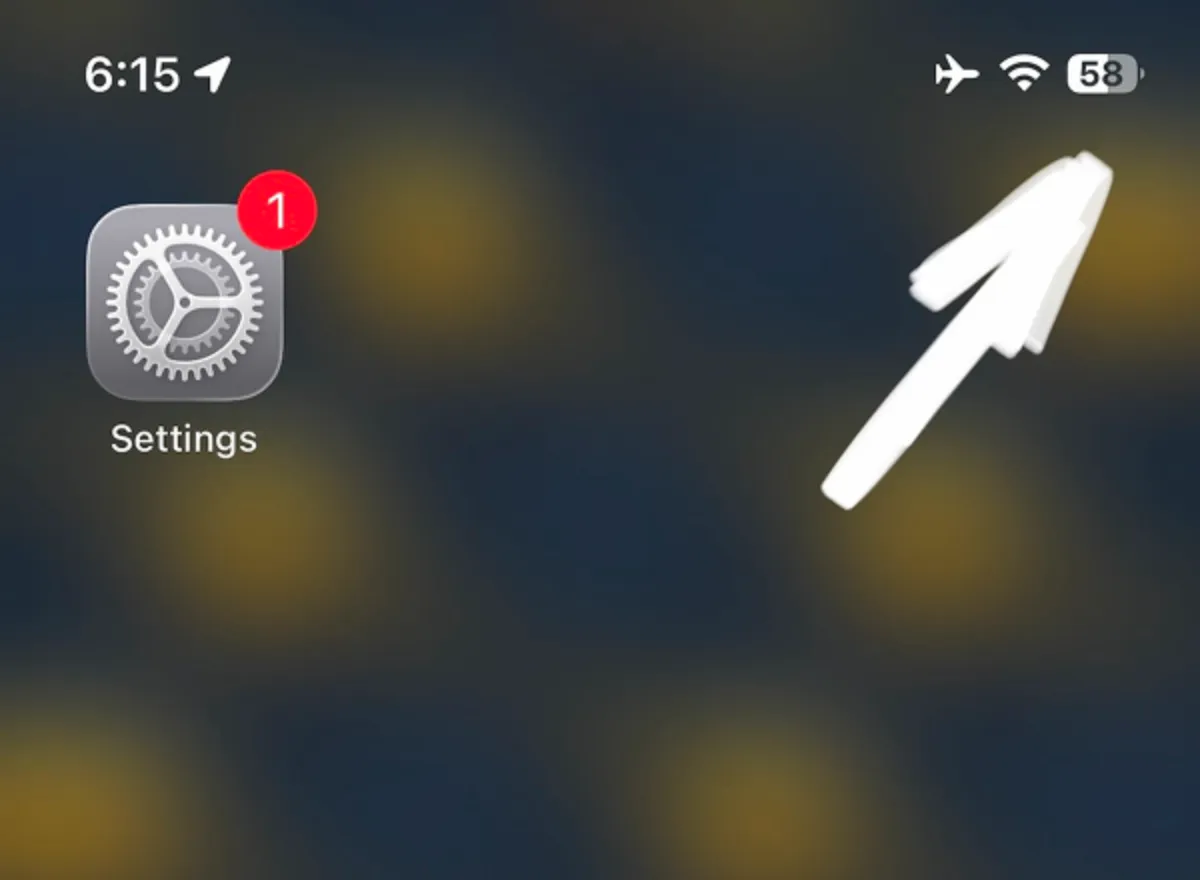
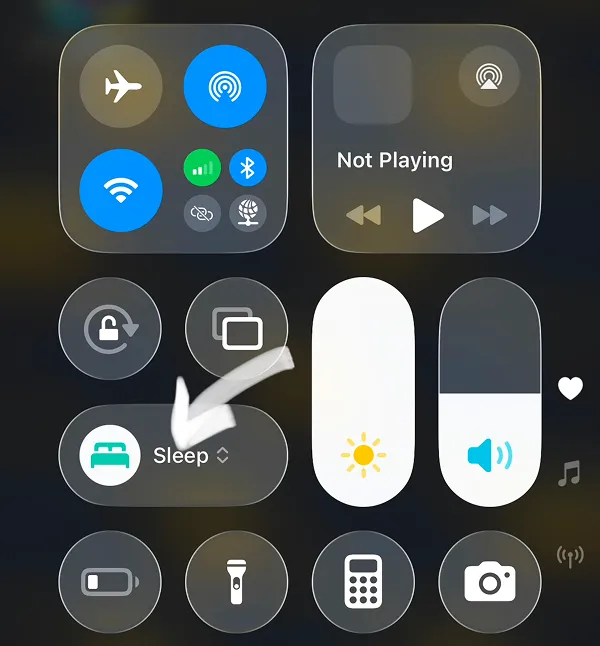
Open Control Center by swiping your screen from the top right corner (where arrow shows on image)
Prefer video? Watch our quick 2-minute walkthrough instead of reading the full tutorial, or continue below with step-by-step images and instructions.
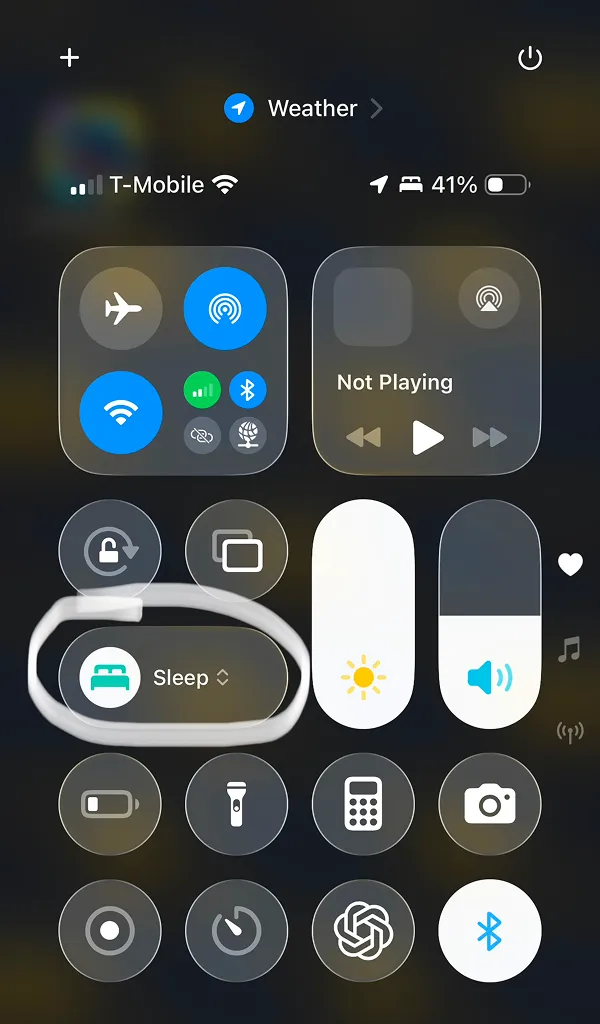
Tap the Sleep button with the Bed icon to disable iPhone Sleep Focus (where the line shows on the screen below)
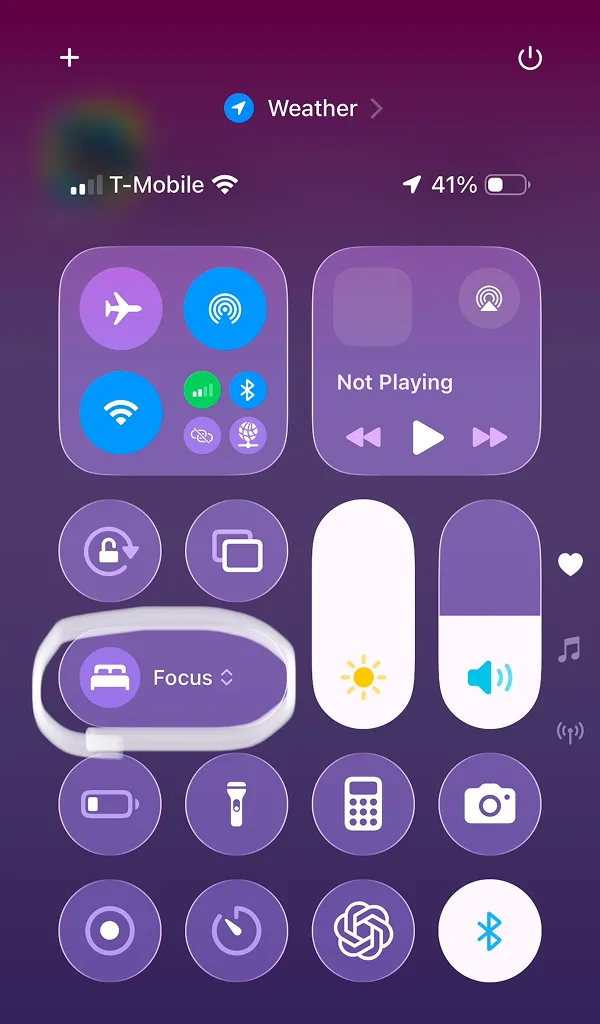
You successfully disabled the sleep mode.
To re-enable it, tap the bed icon again. (Ignore Focus word, this will enable this feature again).
Important tip: This setting will automatically reactivate the next day. To disable it completely or edit schedule please keep reading our guide.
Tap the "Sleep" word in the Control Center (where the arrow shows on the image)
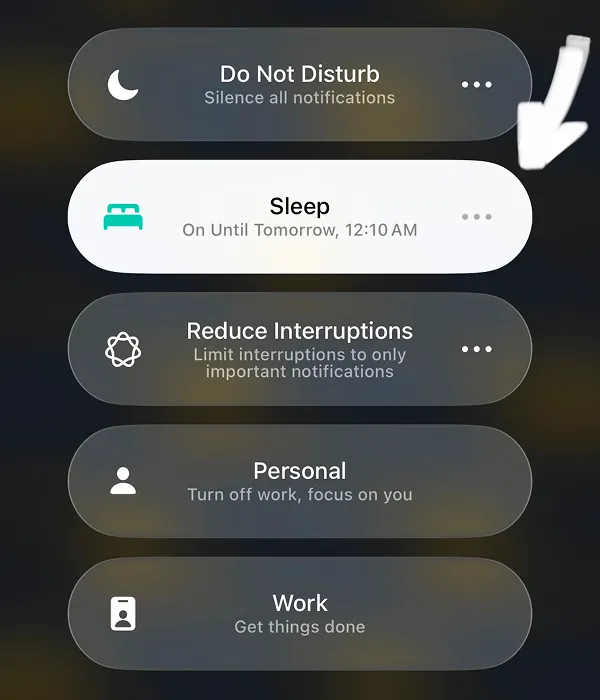
Tap three dots on the right edge of the Sleep button (•••) where the error shows on the image below.
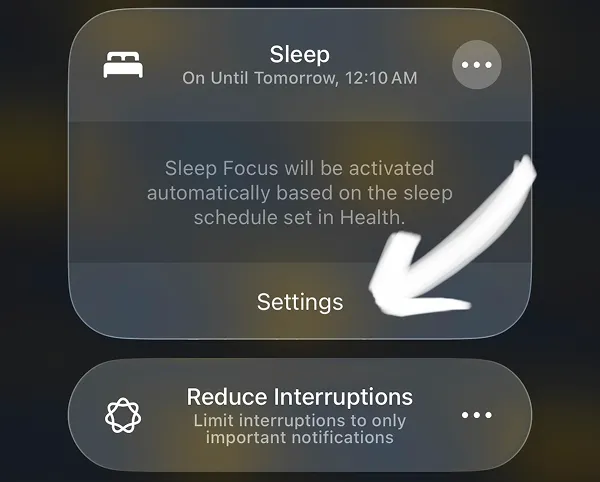
Then tap Settings button at the bottom edge of the Sleep Focus UI. Where the arrow shows on the image.
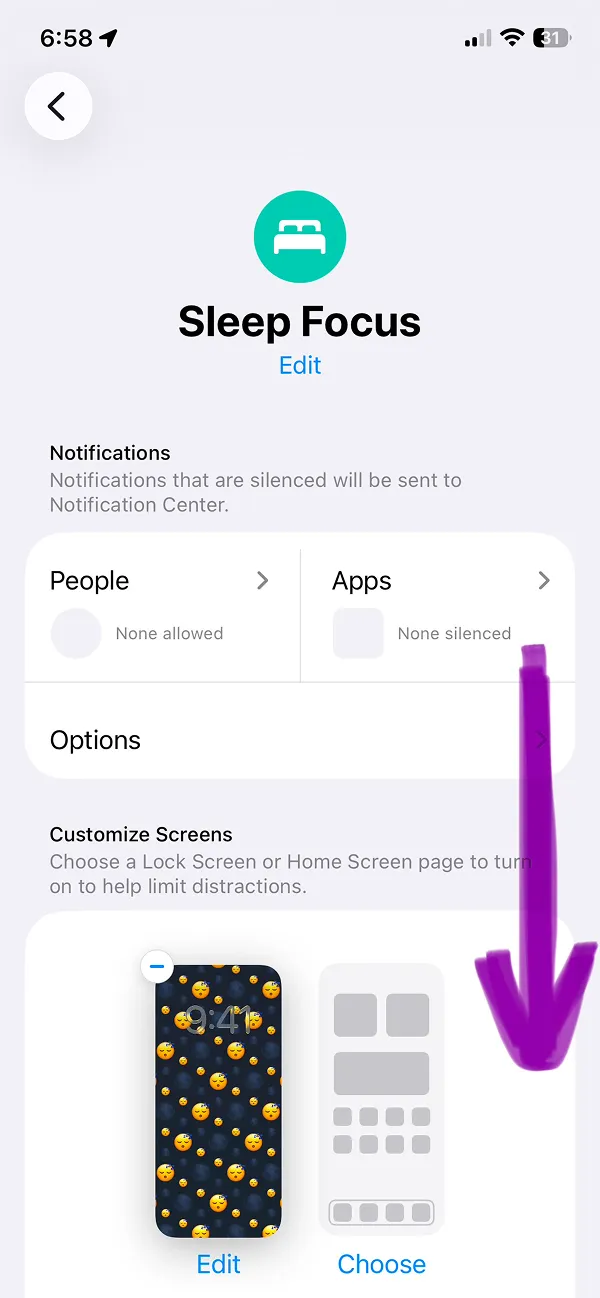
The Settings app will open and you will see the Sleep Focus screen. You will need to scroll to the bottom of the page. This step could vary depending on the iOS versions.
Tap the "Next Schedule" block with the Today and Tomorrow time (you can tap the block or the blue time directly where the arrow shows)
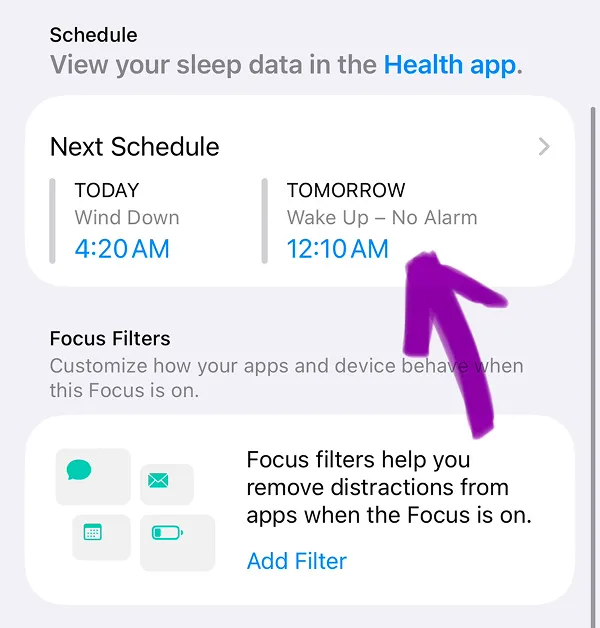
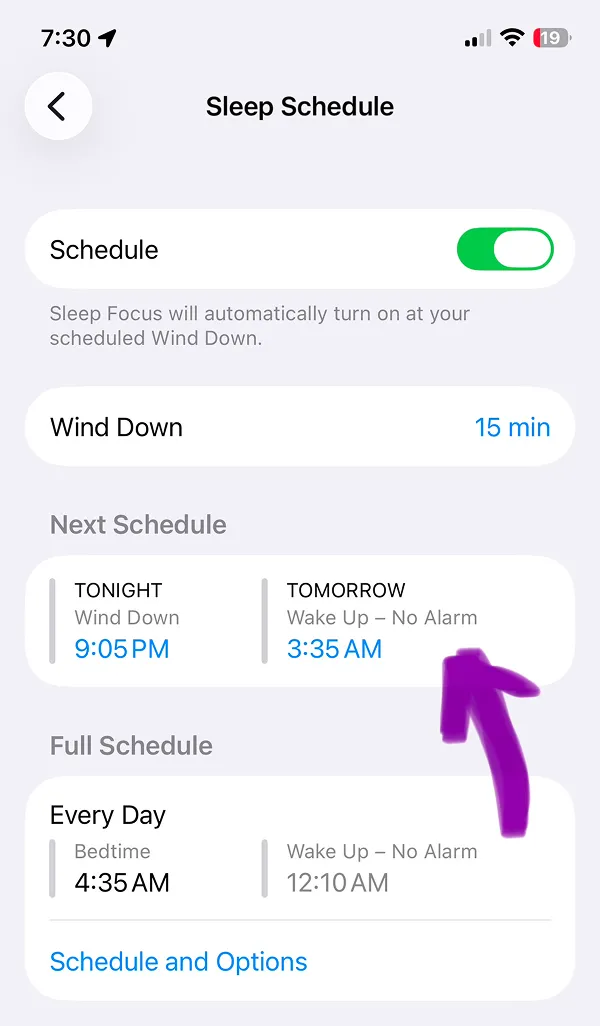
At the "Sleep Schedule" screen you can edit the Next Schedule Sleep mode. Just tap anywhere on the Next Schedule block or tap today or tomorrow times directly.
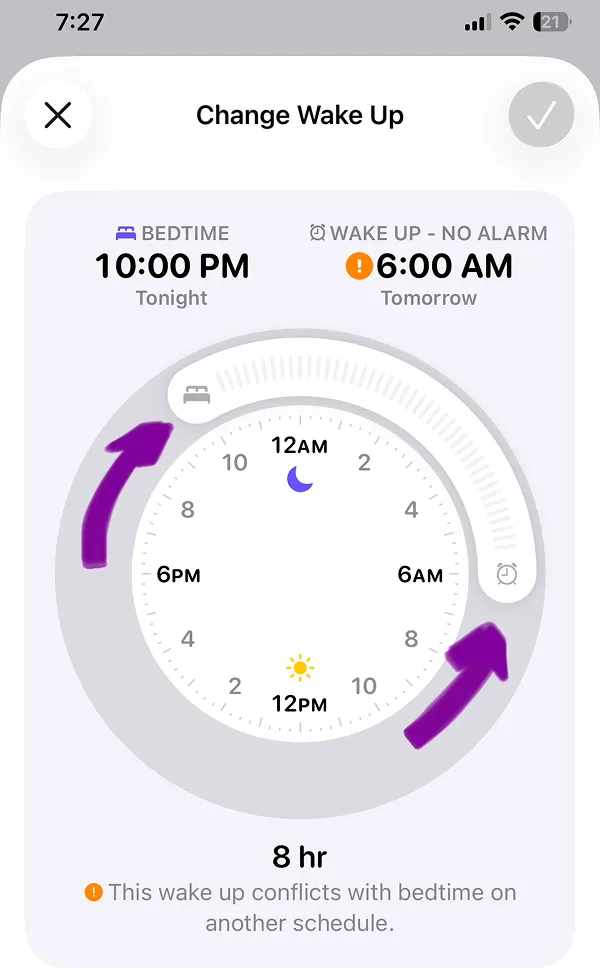
To change the "Next Schedule" time on the "Change Wake Up" screen you need to move the Bed and Clock icons on the edges of the UI, where arrows show. This will change the Next Schedule time for iPhone Sleep Focus.
On the "Sleep Schedule" screen from Step 5, tap the "Schedule and Options" button on the Full Schedule screen. You will be redirected to the iPhone Health app.
At the "Full Schedule" screen in the Health app you can:
Option 1: turn off Sleep mode on iPhone completely by tapping the Green Toggle and the Sleep schedule button.
Option 2: Tap "edit" button in the Full screen block and change this feature schedule to best option for you.