
If you need to learn how to turn off Focus on iPhone, read our 2-minute quick guide with detailed images for each step. Focus mode can block your notifications and other iPhone features. If you see the Moon icon with the "Do not disturb" text on your home screen, you need to turn off Focus mode to continue receiving notifications on time.
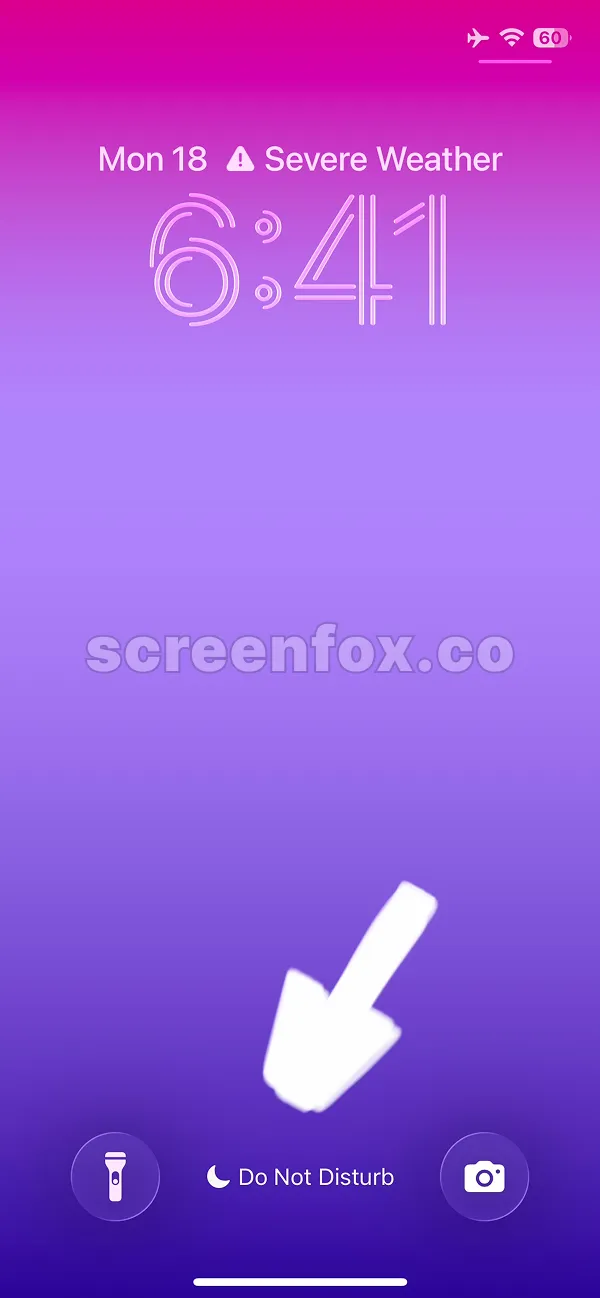
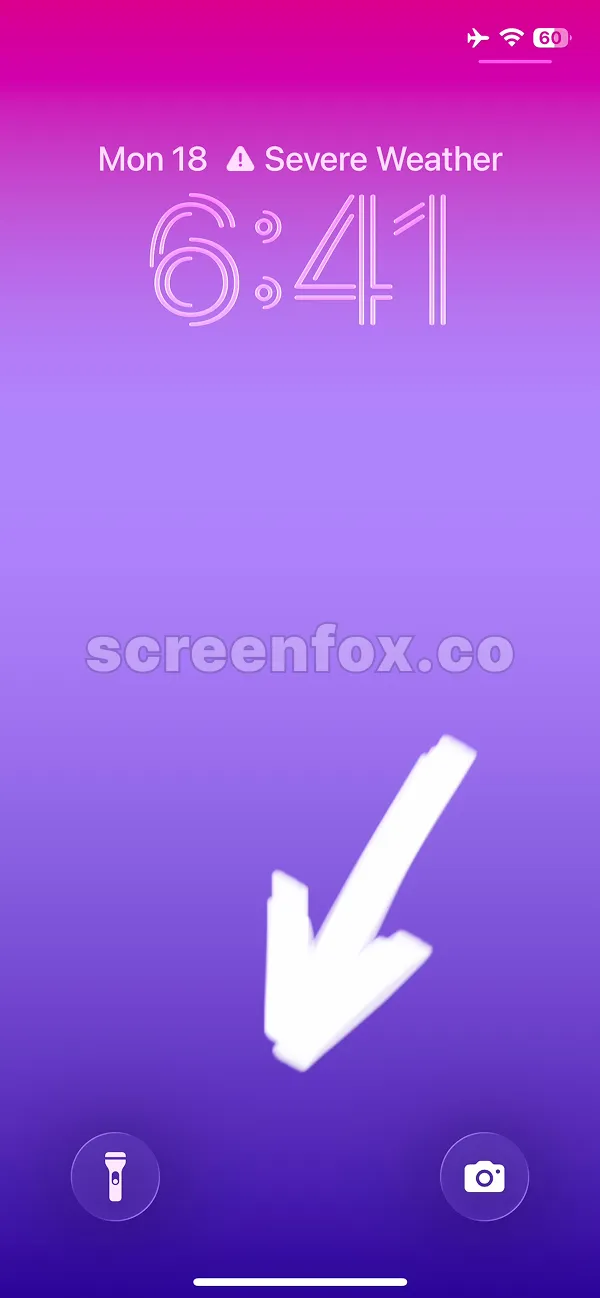
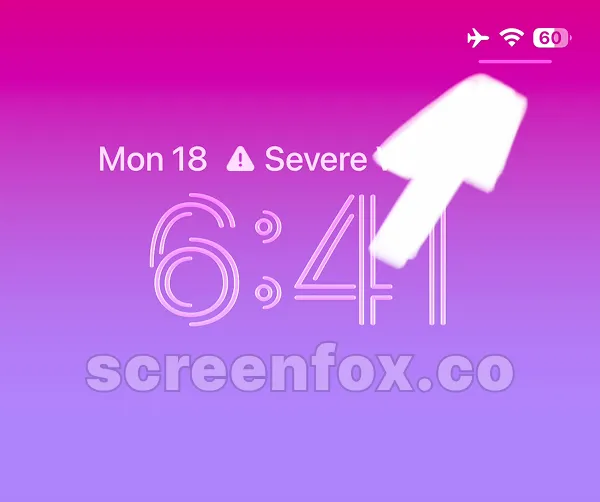
To open iPhone Control Center, swipe from the upper right corner of the screen where the battery indicator is.
Play video to start the guide or keep reading; information is the same in our text guide and the video guide.
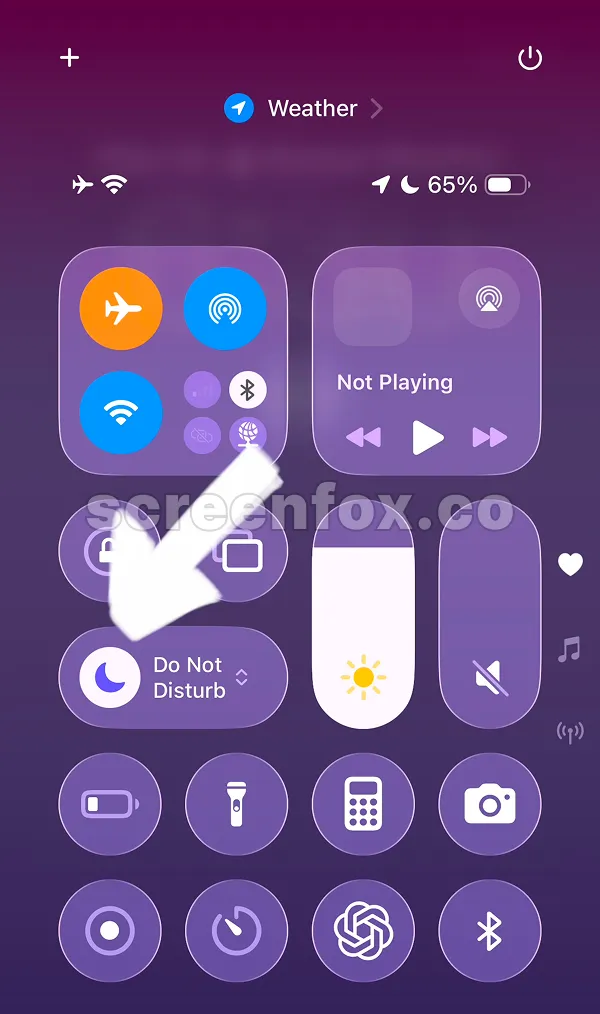
If you see the text "Do Not Disturb" and the Moon icon is enabled, the Focus mode is active. To disable it, simply tap the Moon icon where the arrow shows.
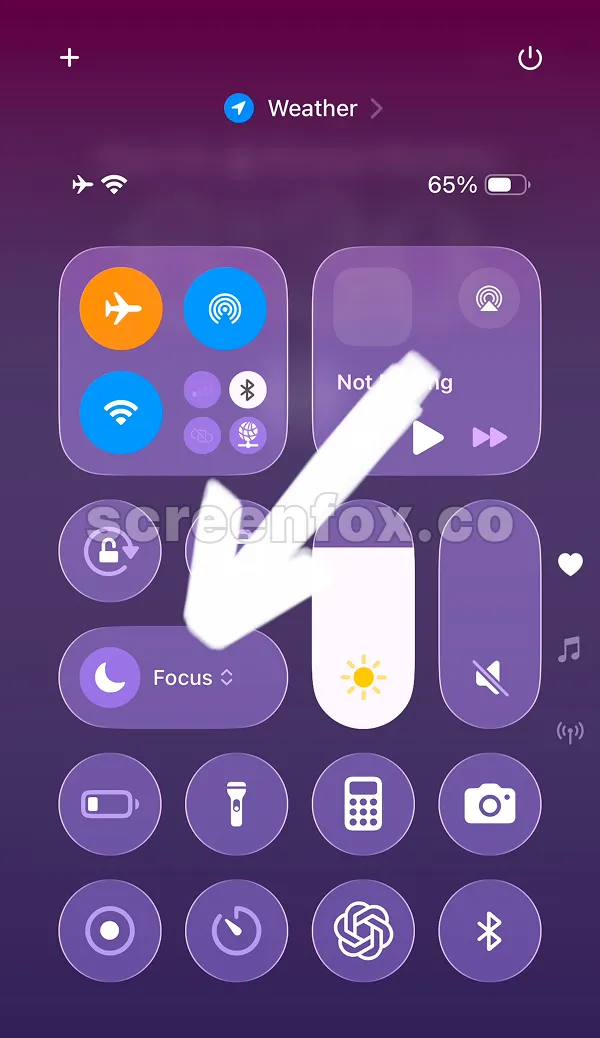
That's it, just by tapping the icon once the focus mode will be turned off. If you see the Focus word, that means it is off. Now you know How to Turn Off Focus on iPhone in minutes and start receiving notifications again. Read our other guides to learn how to block social media or how to turn off YouTube shorts on iphone. Read our other guides to learn how to block social media or how to turn off YouTube Shorts on iPhone.
Pro tip: This will turn off focus mode on iPhone only temporarily. To change timing of the focus mode, keep reading our guide.
Any focus mode can be enabled on iPhone, not only Do Not Disturb mode. To change settings, just tap the Focus word shown on the previous screen.
Then you will see all added Focus modes for your iPhone. Just tap any of them to turn off any focus mode. To change settings and schedule for modes, tap the three dots (...) icon shown on the screenshot.
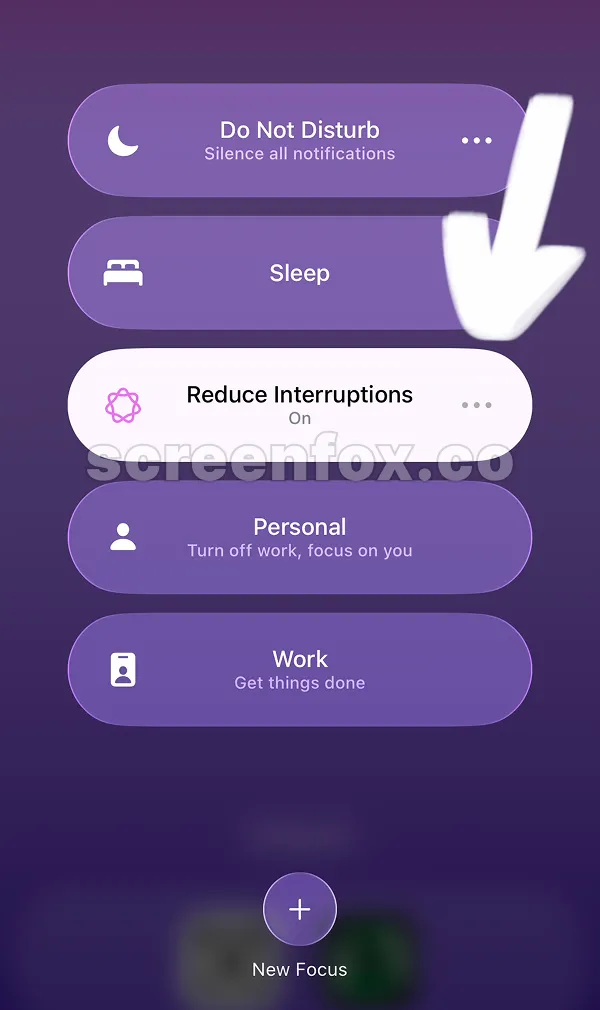
To change settings of any focus mode on iPhone, follow the arrow on the screen. Tap Settings to start. This change will work with any Focus modes added to your iPhone.
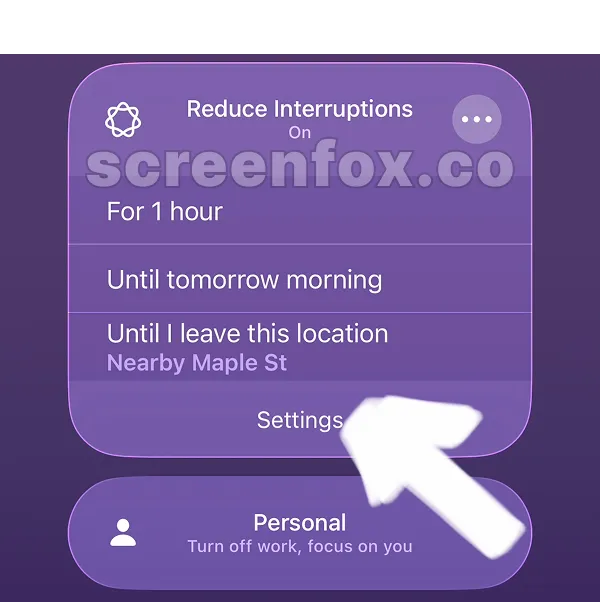
The Settings page will be opened for the selected Focus mode, in our case the Reduce Interruptions mode. On this page you can edit settings. To change time or delete focus mode entirely, scroll the page.
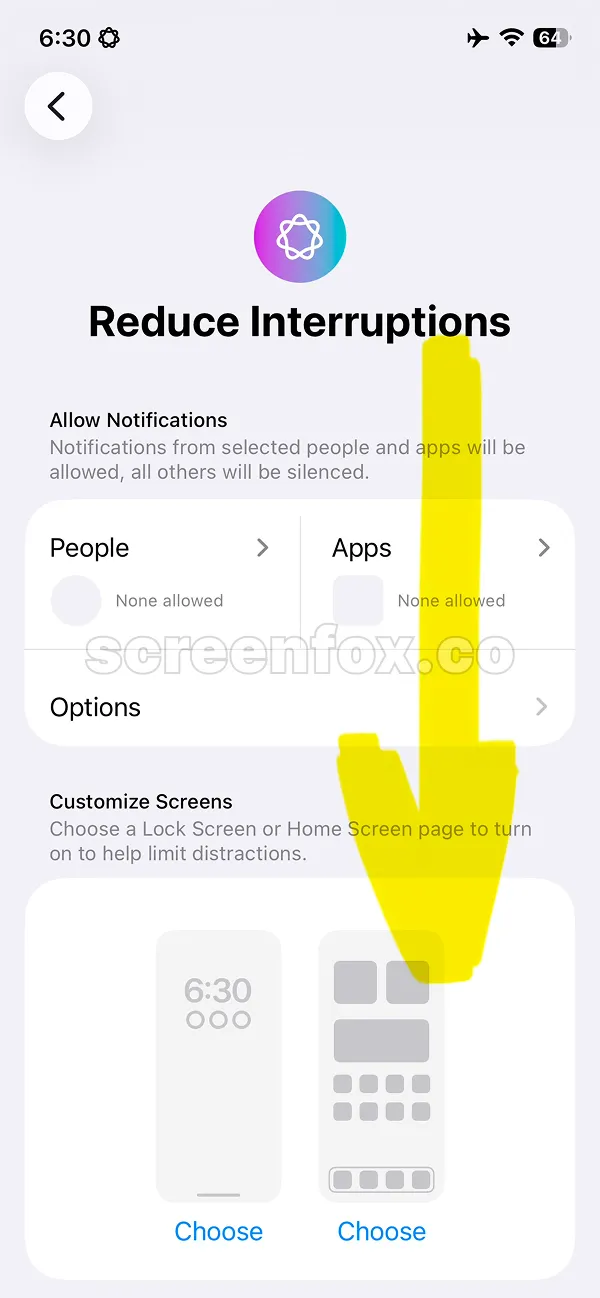
To edit schedule you need to tap time on the screen. This is not obvious but it works, just tap the time where the yellow arrow shows. This option will help you to set when Focus mode will be on and off during the day.
Pro tip: To stay focused without the Focus mode on iPhone, download the ScreenFox app. It will help you to block distracting apps and stay focused to achieve your goals.
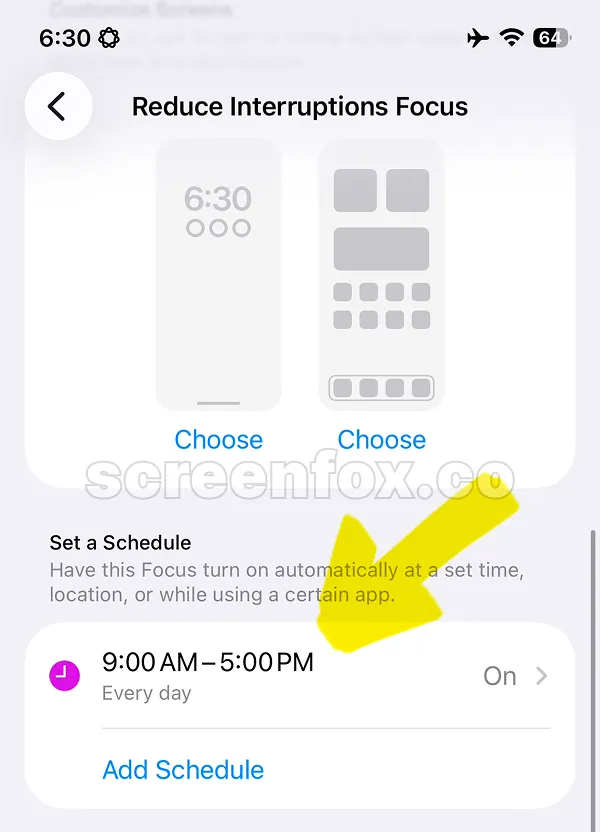
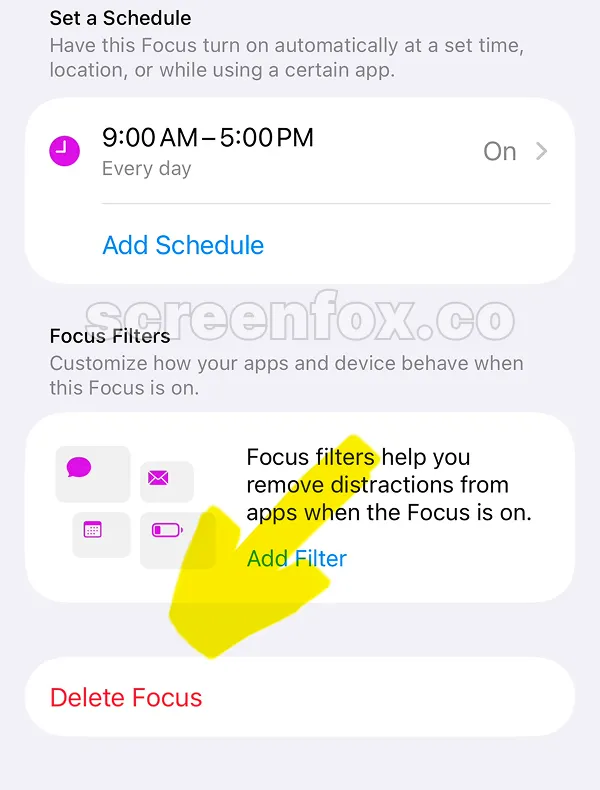
To delete Focus mode on your iPhone, just scroll to the bottom of the page. This setting is quite hidden. To delete any Focus mode, tap the "Delete focus" button and confirm changes.
This is easy. When you turn off focus mode, the Moon icon and the "Do Not Disturb" text will be hidden from the Home screen. Just open the Home screen and check that the icon is not shown. This method will help you to learn How to Turn Off Focus on iPhone.