

To know How to Block Websites on iPhone, read our quick guide with images. Learn how to block any website using built-in iOS feature or how to better block any website with the ScreenFox free to download app.
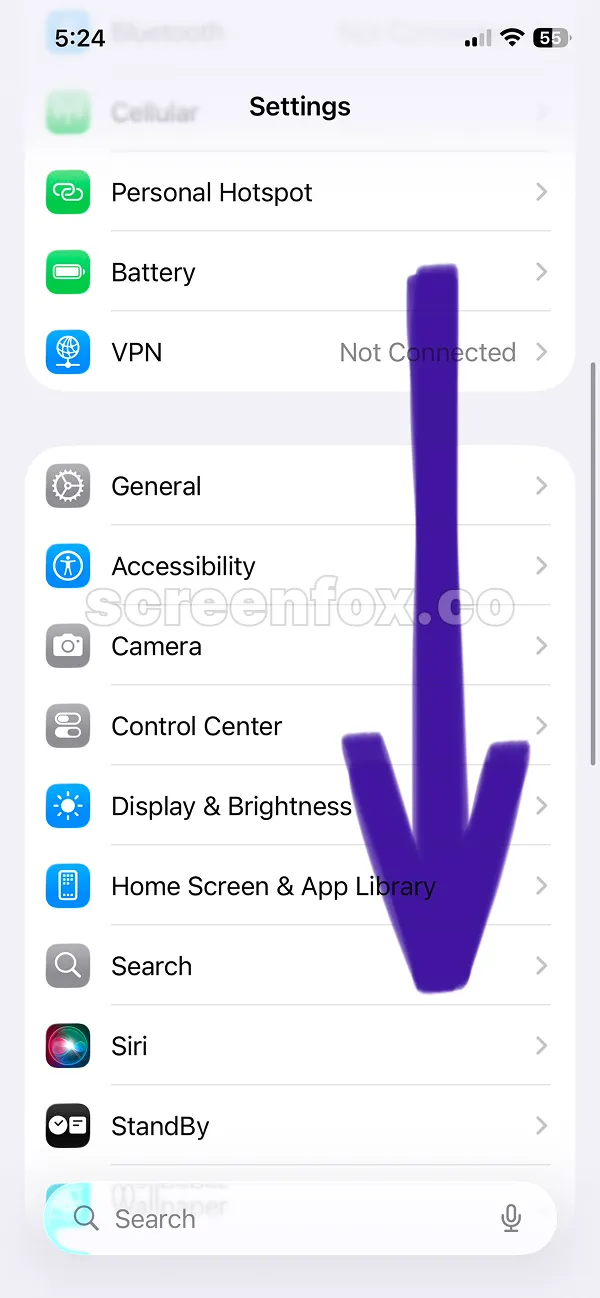
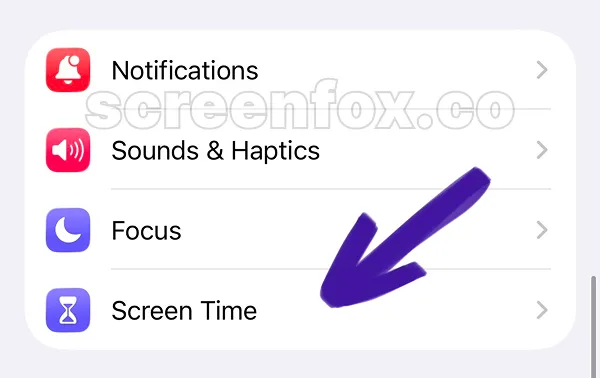
Then scroll and find the Screen Time section in the settings as shown on the second image.
You can save time and watch our 2-minute video guide version. The instructions are the same, play the video or keep reading our detailed guide.
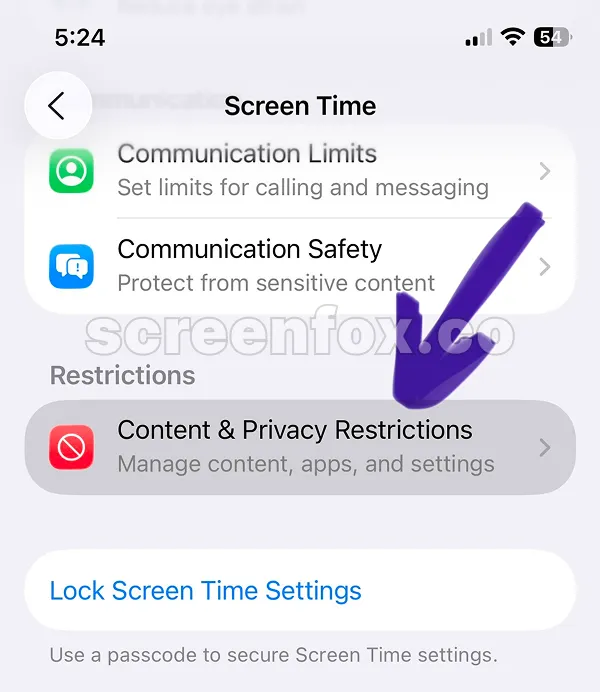
This Content & Privacy restrictions feature is quite difficult to find. Just follow the images and the arrows on the screen.
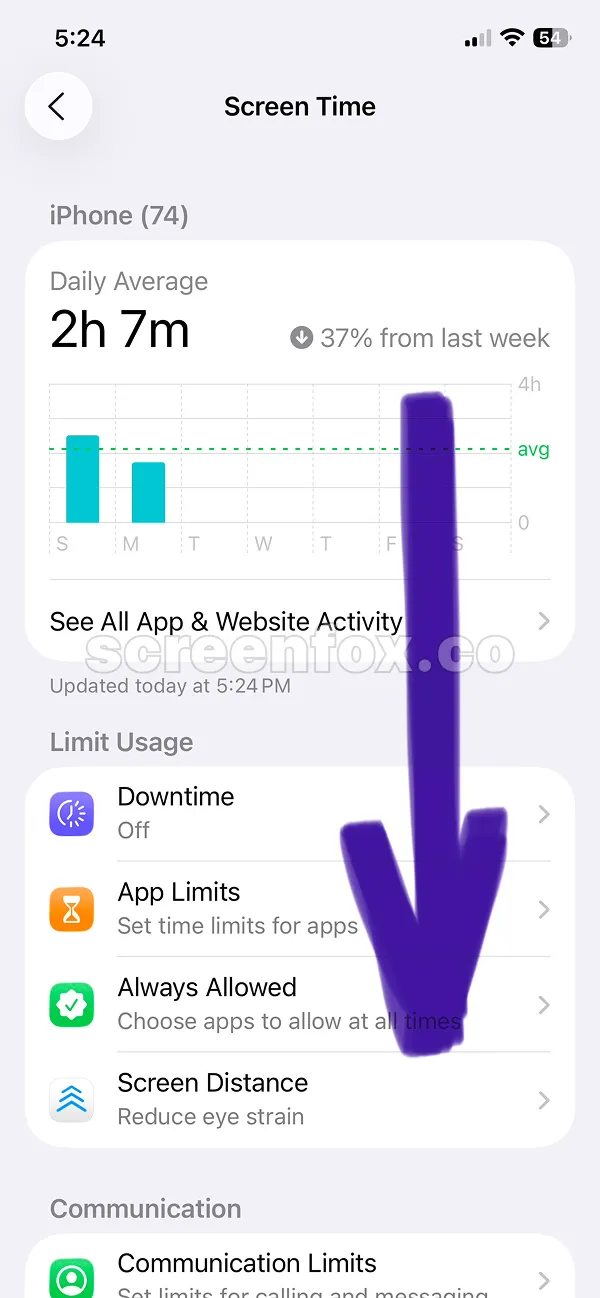
Tap this feature Content & Privacy restrictions button to open settings screen.
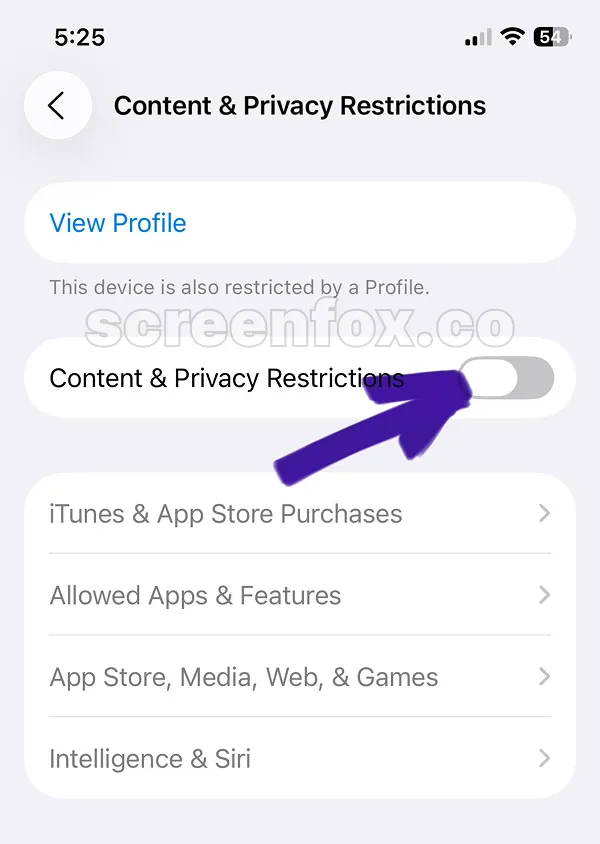
By default this toggle will be disabled. To Block Websites on iPhone, just tap it to open settings.
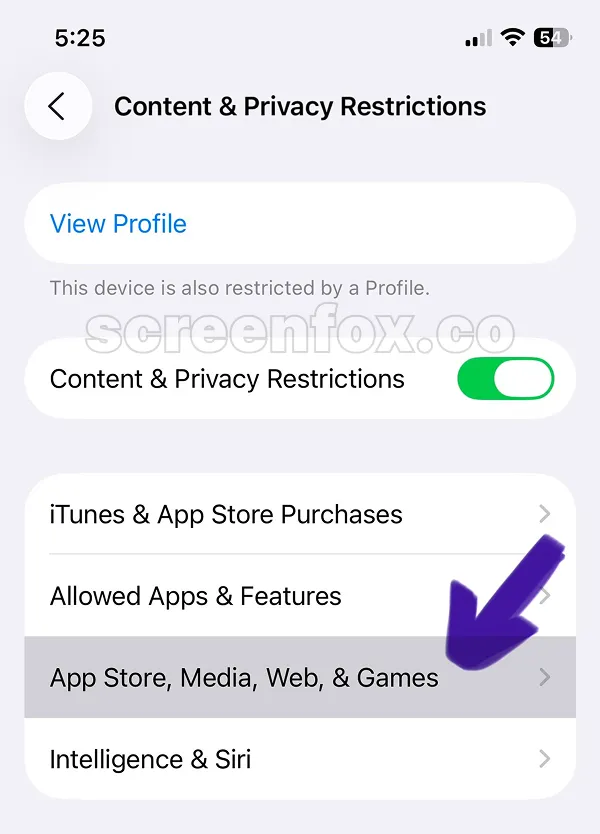
Again this feature is not easy to find, keep following the arrows on images and tap the Web Content button.
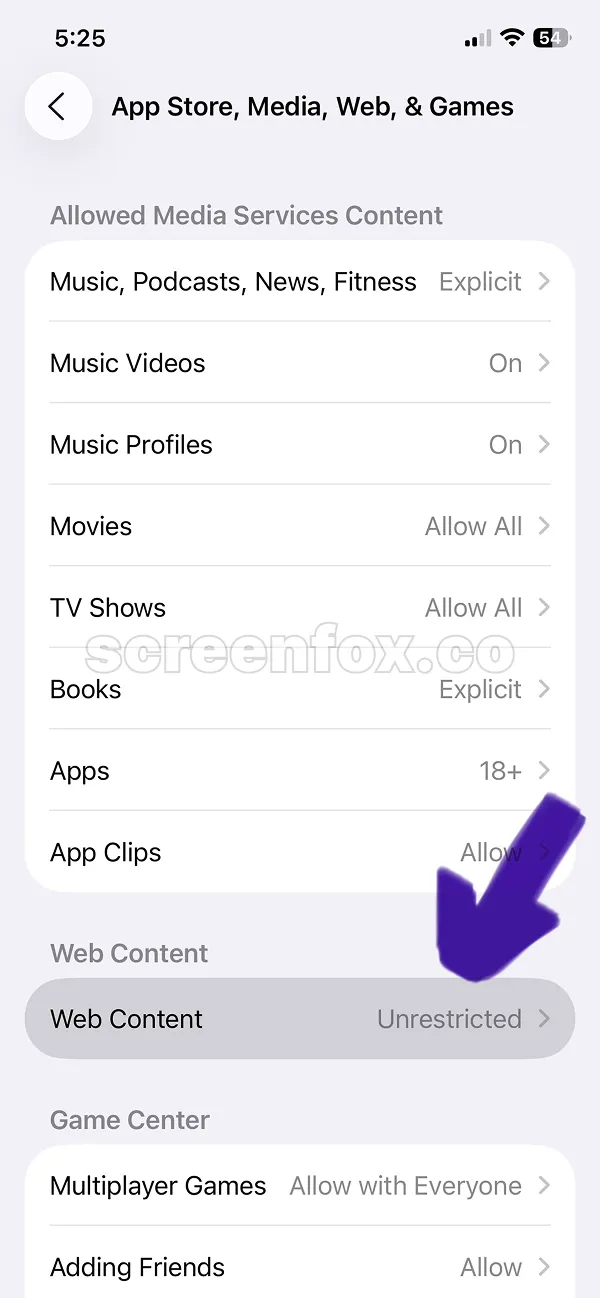
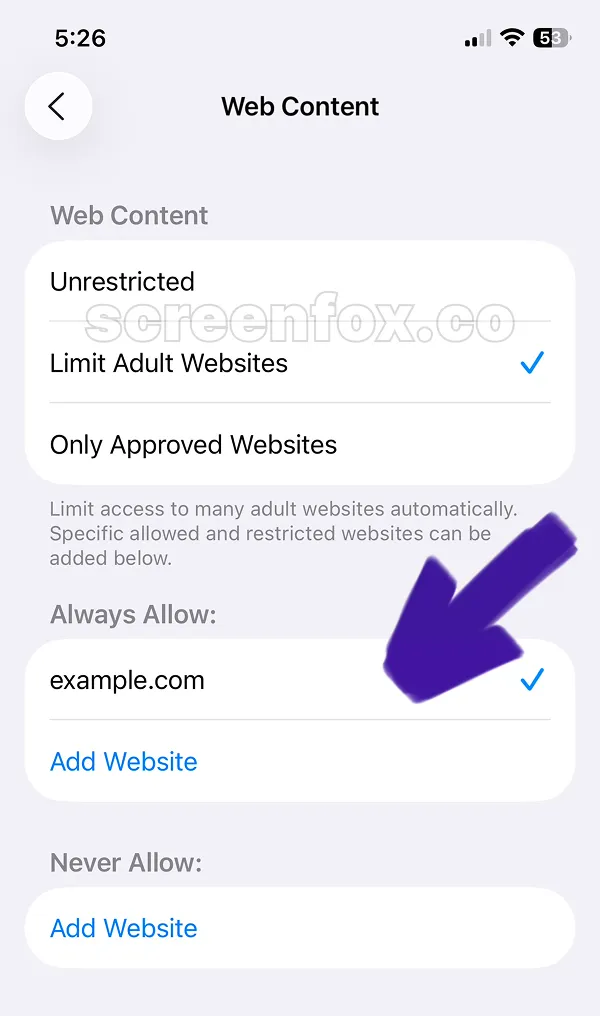
This is the default iOS feature to block specific websites on iPhone. Keep reading to learn how to add custom websites to your iPhone website blocking list. Read this guide to know how to block any social media app.
The main issue: iOS makes it too easy to stop blocking websites. Download ScreenFox app to stop blocking websites on iPhone for much longer.
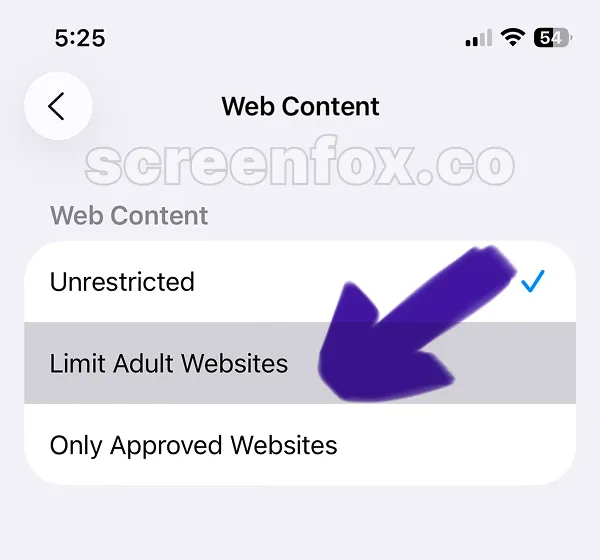
To block website on iPhone, you need to manually add website here. We recommend copying and pasting the website link from browser to not make any mistakes in the URL.
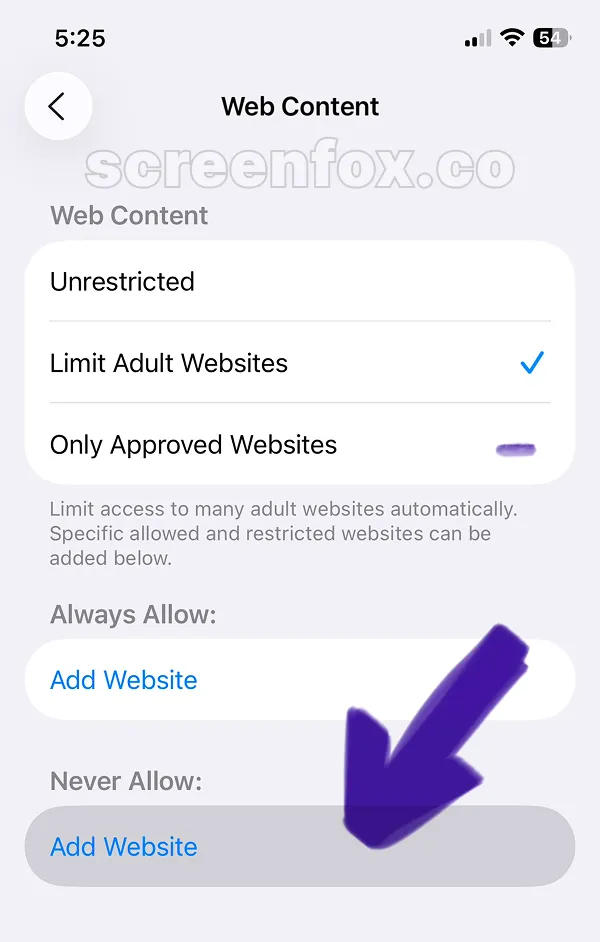
To apply changes, tap the Add Website button and copy the link to the website you want to block on your iPhone.
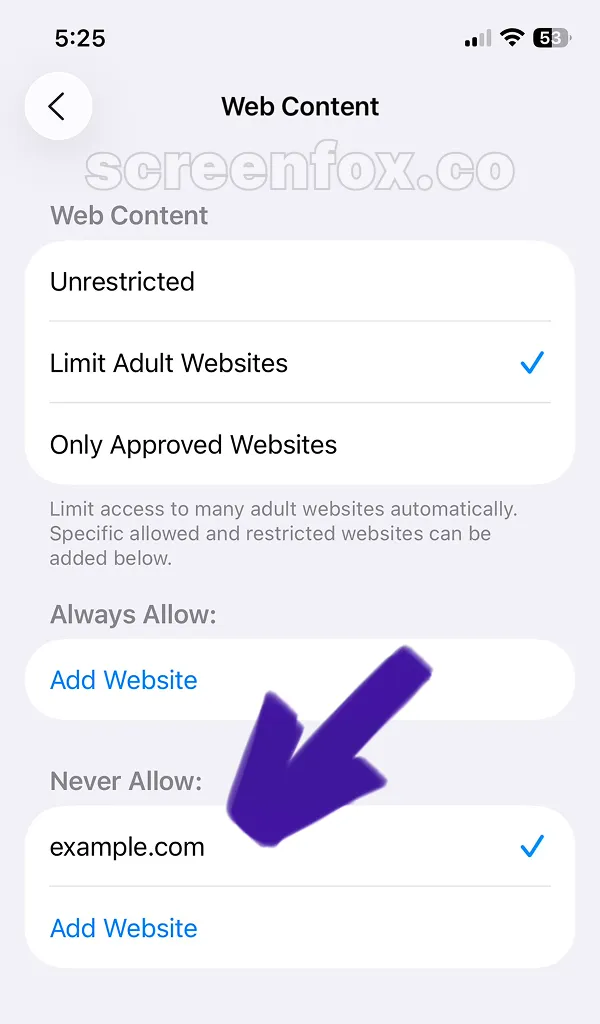
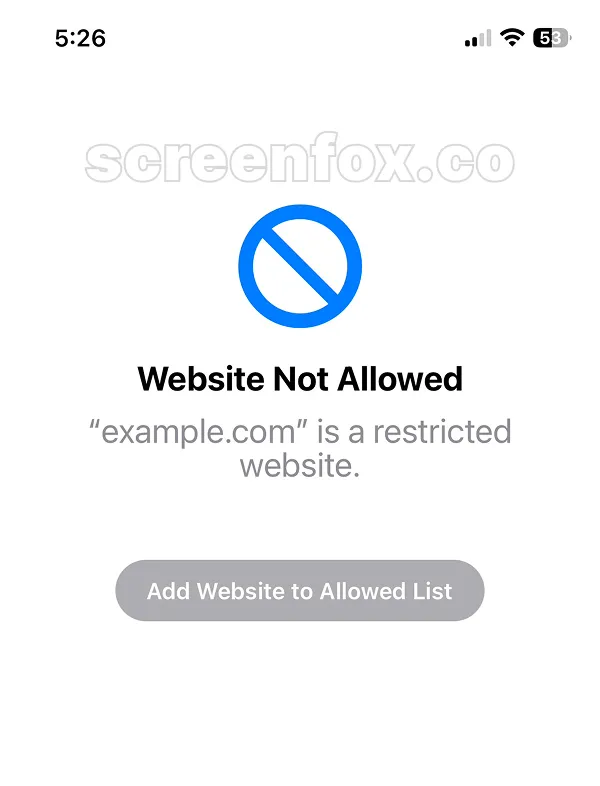
Now when you will try to open added website, the website will be blocked. This will work for any browser on your phone, Safari, Chrome or any other browser. Blocking websites on iPhone using Screen Time is effective, but there's an important limitation to know. Now you know How to Block Websites on iPhone with the built-in iOS feature.
The main issue is the Add website to allow list button. It unblocks website in just one tap. Download the ScreenFox app as an alternative solution, ScreenFox was designed to make unblocking any websites much more difficult.
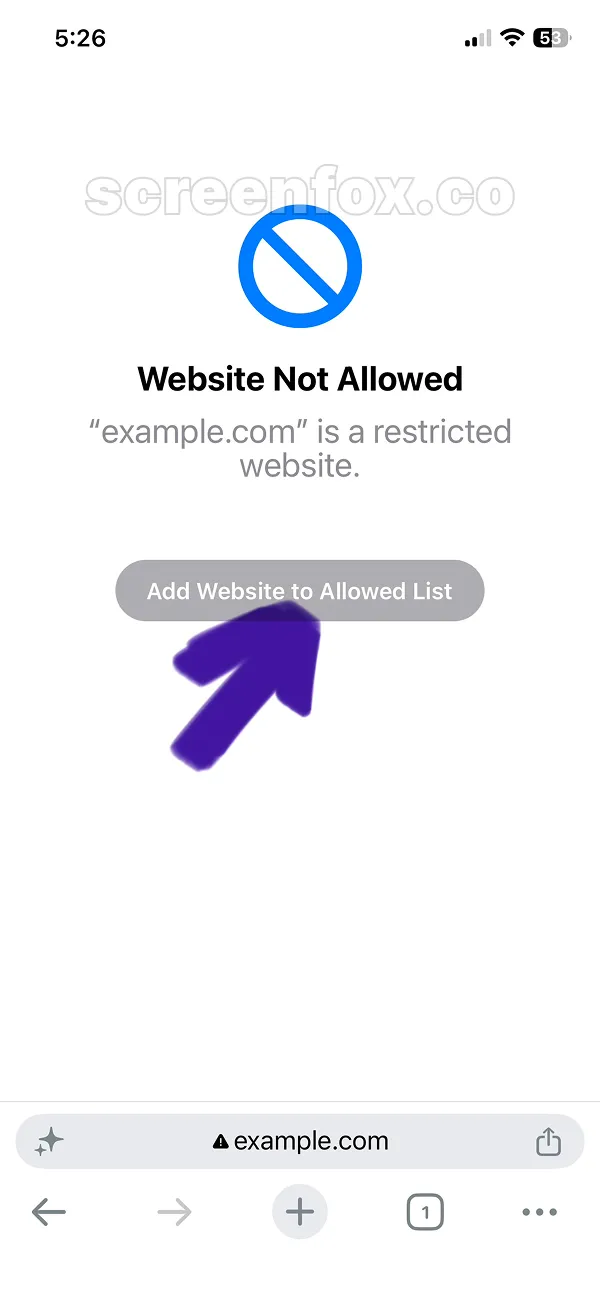
After you tap the Add Website to Allowed List, the website will work again. To stop websites from working download the ScreenFox app, this app was designed to make website blocking on iPhone much more difficult to unblock.