

Looking How to Block Porn on iPhone? Our comprehensive walkthrough demonstrates how to block porn websites using iPhone's native capabilities, along with the ScreenFox app for enhanced protection. Follow these simple steps with visual references to filter out unwanted content effectively.
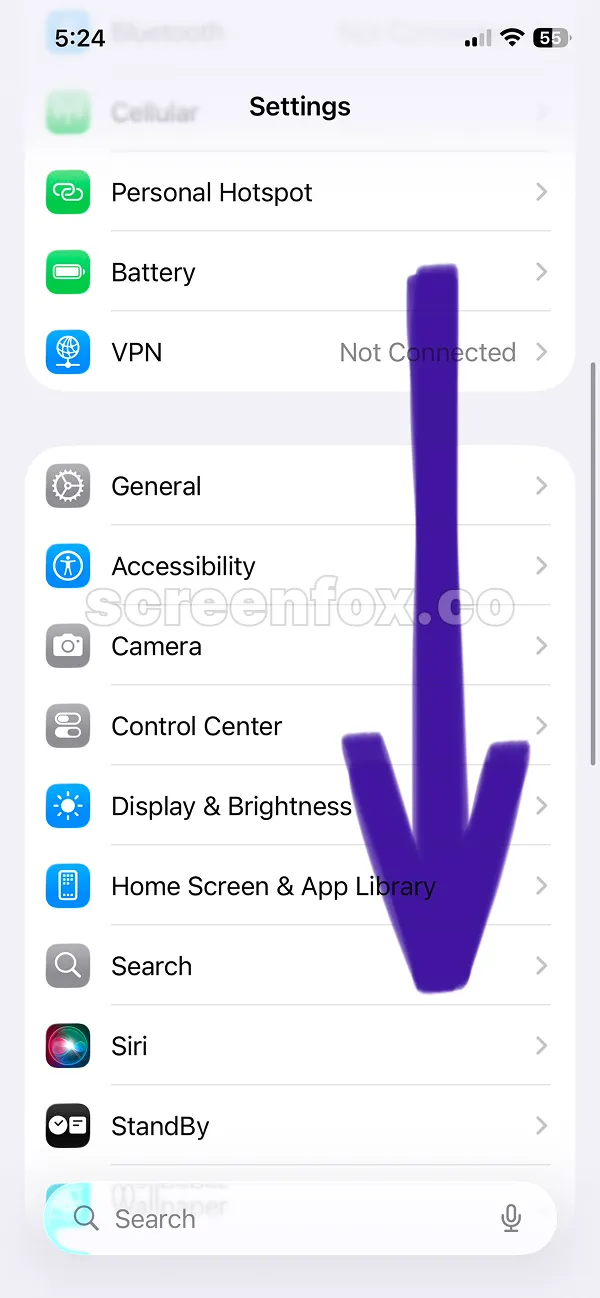
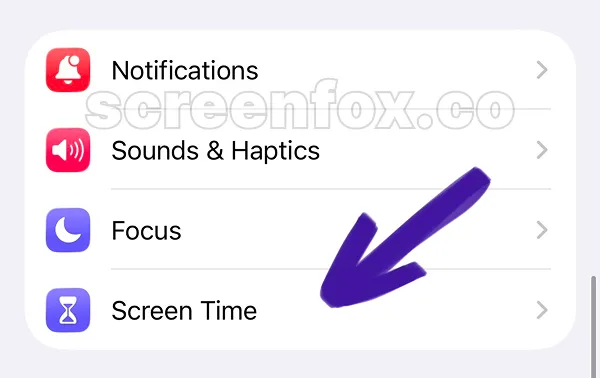
Launch the Settings application on your device. Navigate downward until you locate the Screen Time option, as illustrated in the subsequent screenshots below.
Prefer a faster approach? Watch our quick 2-minute video. The process matches our detailed written instructions below.
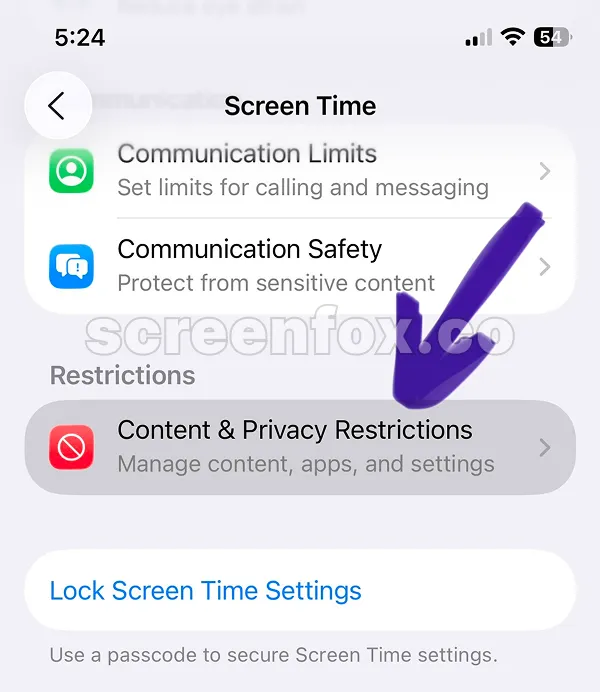
Finding Content & Privacy restrictions can be tricky within the menu. Stick with the screenshots and directional indicators shown here to navigate properly.
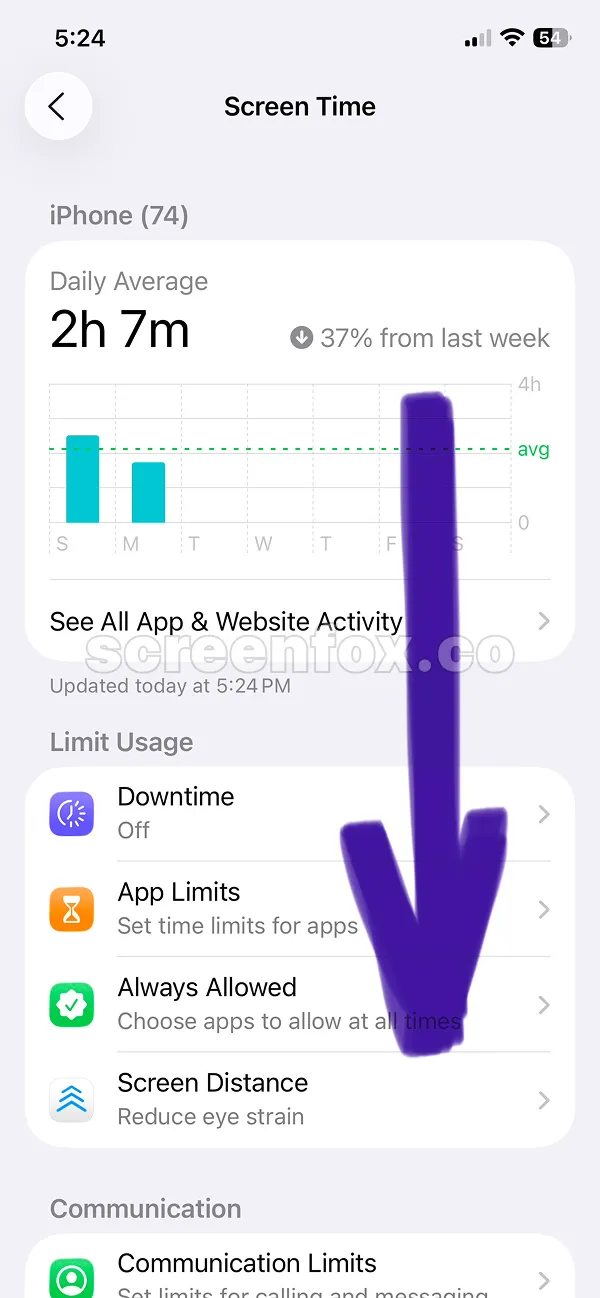
Select the Content & Privacy restrictions option to open the configuration screen.
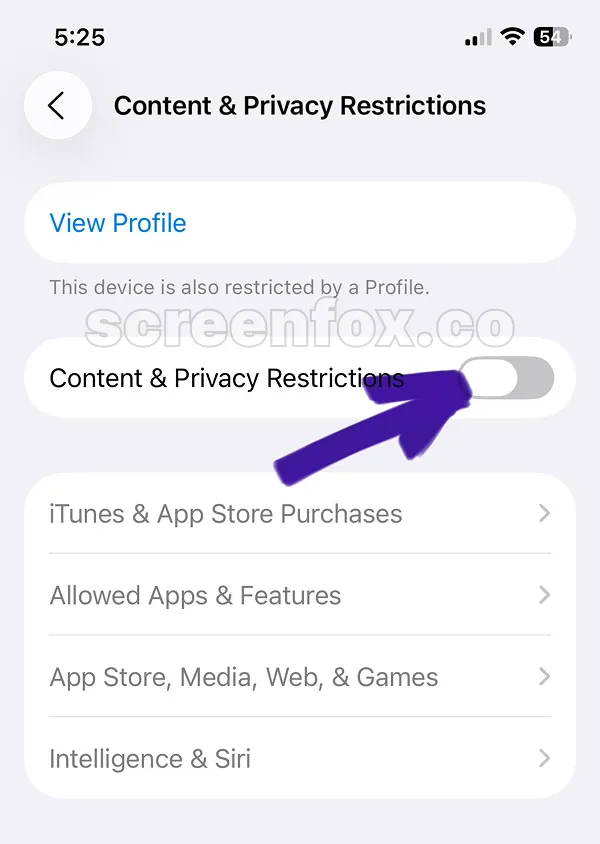
This toggle is typically switched off initially. To begin blocking porn on your iPhone, simply activate it now.
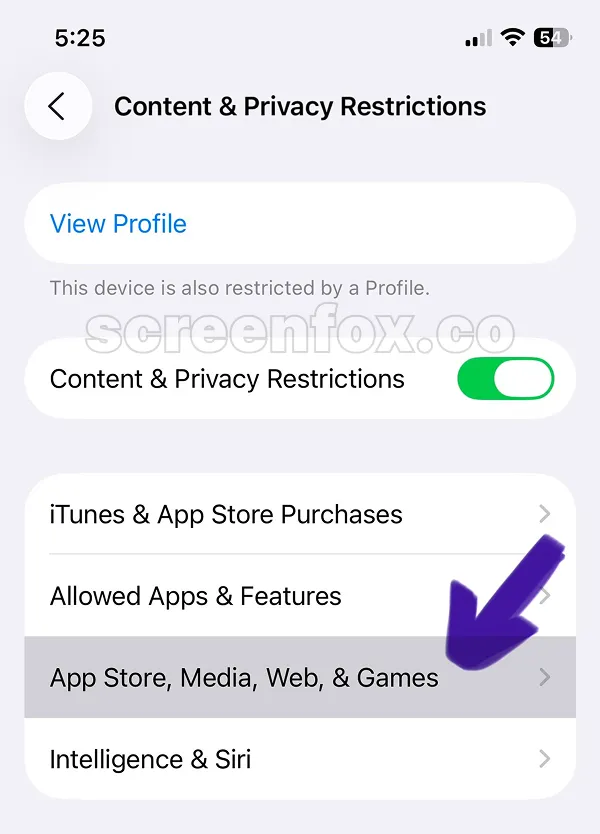
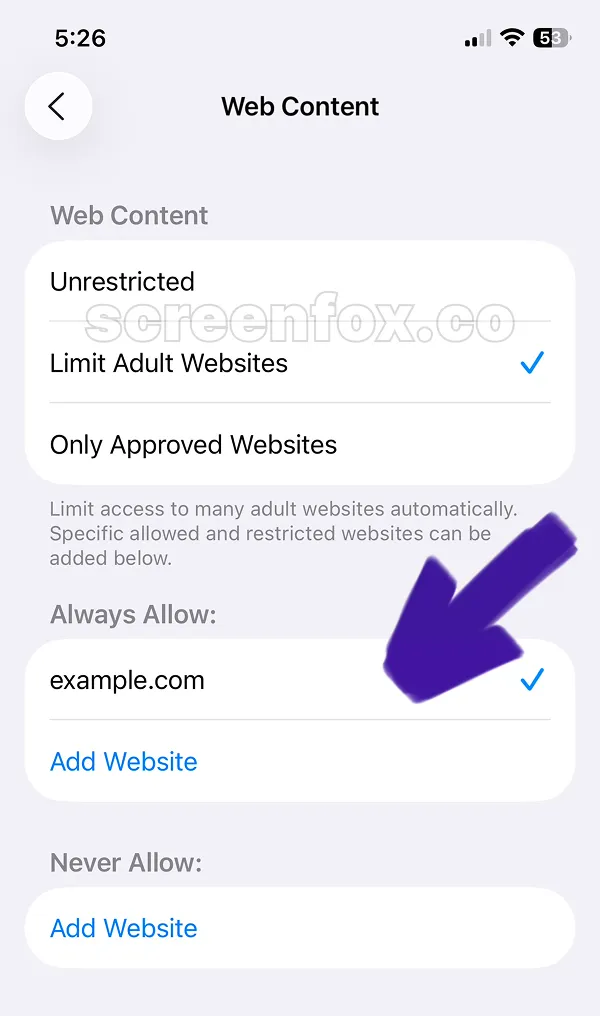
This particular setting is not easy to locate. Continue following the visual indicators and tap on Web Content to proceed. You can also read our guide on blocking gambling apps and websites.
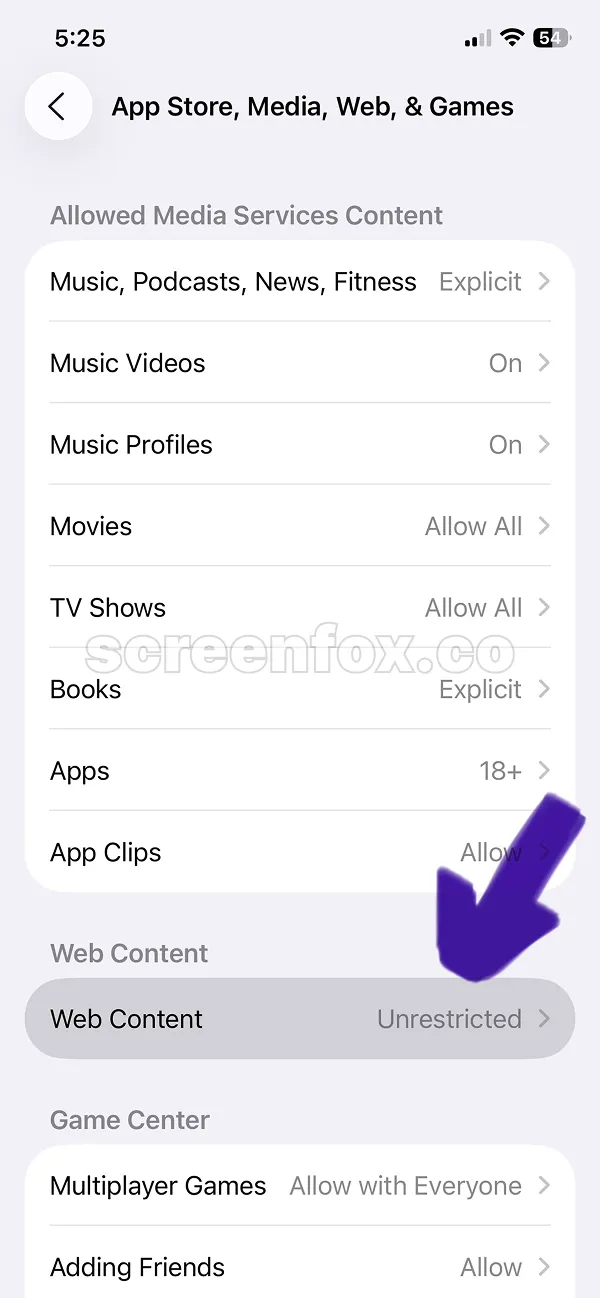
Apple's built-in capability to block porn on iPhone is found here. Scroll down to understand how to add specific websites to your pornography blocking list on iPhone.
Important limitation: iOS permits to easily turn off content restrictions with minimal effort. The ScreenFox app provides superior protection by making it substantially harder to disable filtering on your device. Download ScreenFox for Free today.
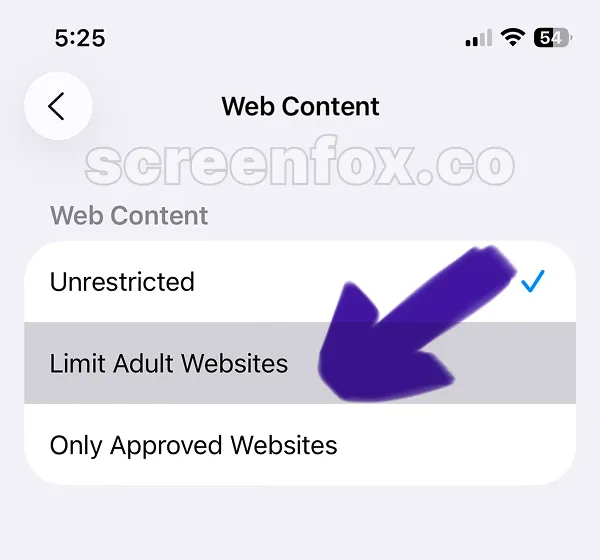
To successfully block porn sites on iPhone, you must individually enter them here. We suggest copying the website URL directly from your browser to avoid typing errors when entering the address.
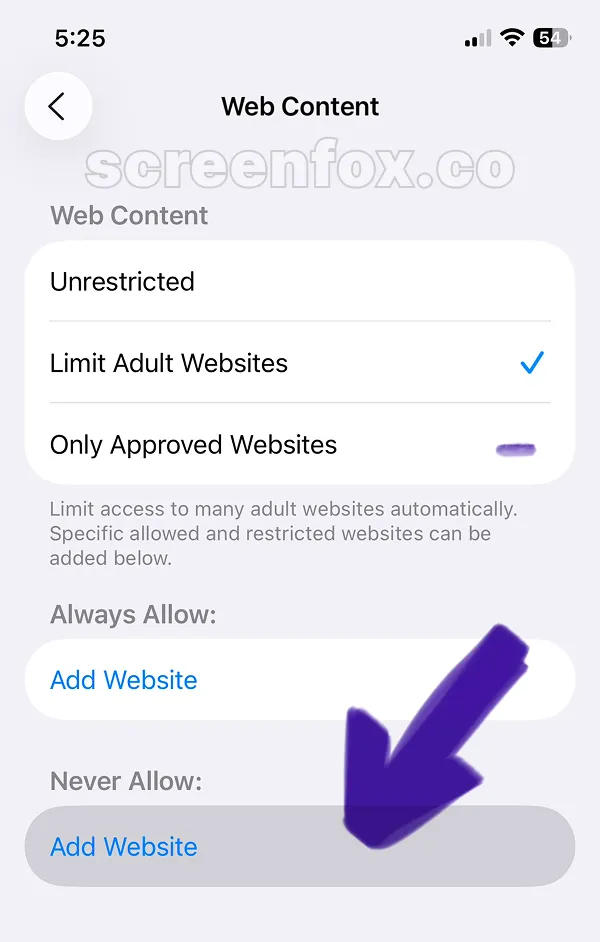
To apply your changes, click Add Website and input the complete URL of the adult site you want filtered from your iPhone.
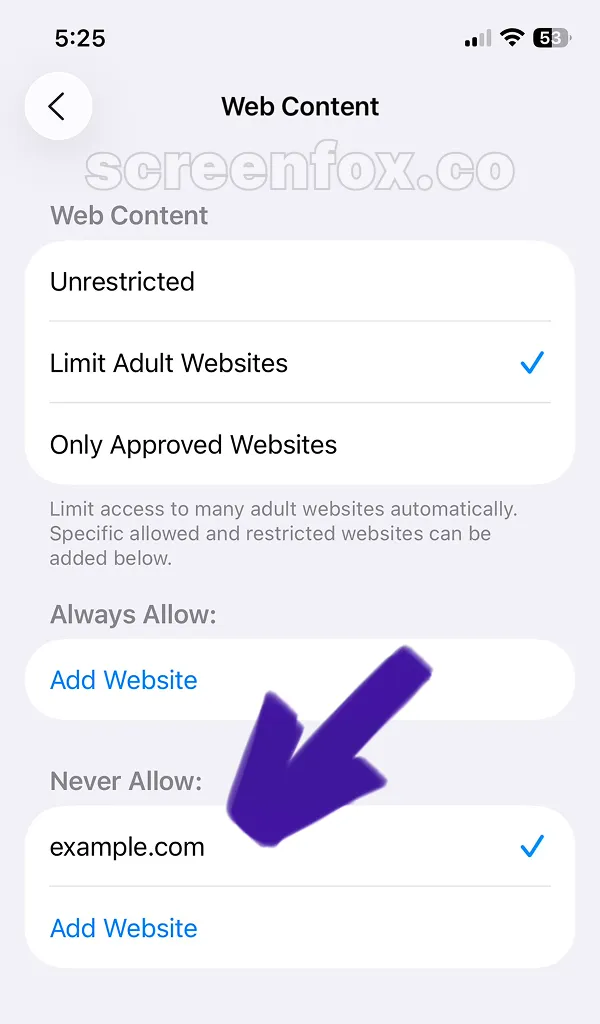
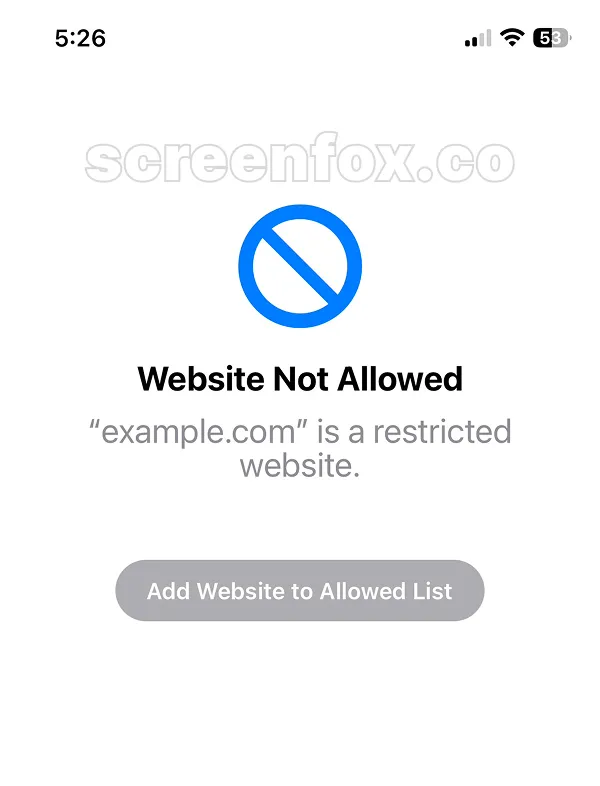
Once you register a site, attempting to access it triggers a block across all browsers—Safari, Chrome, Firefox, and others. This how to block porn on iPhone method through Screen Time works effectively, but has one critical flaw.
The "Add to Allowed Websites" button reactivates blocked sites instantly. Get the ScreenFox app instead—it's engineered to make unblocking websites much more difficult.
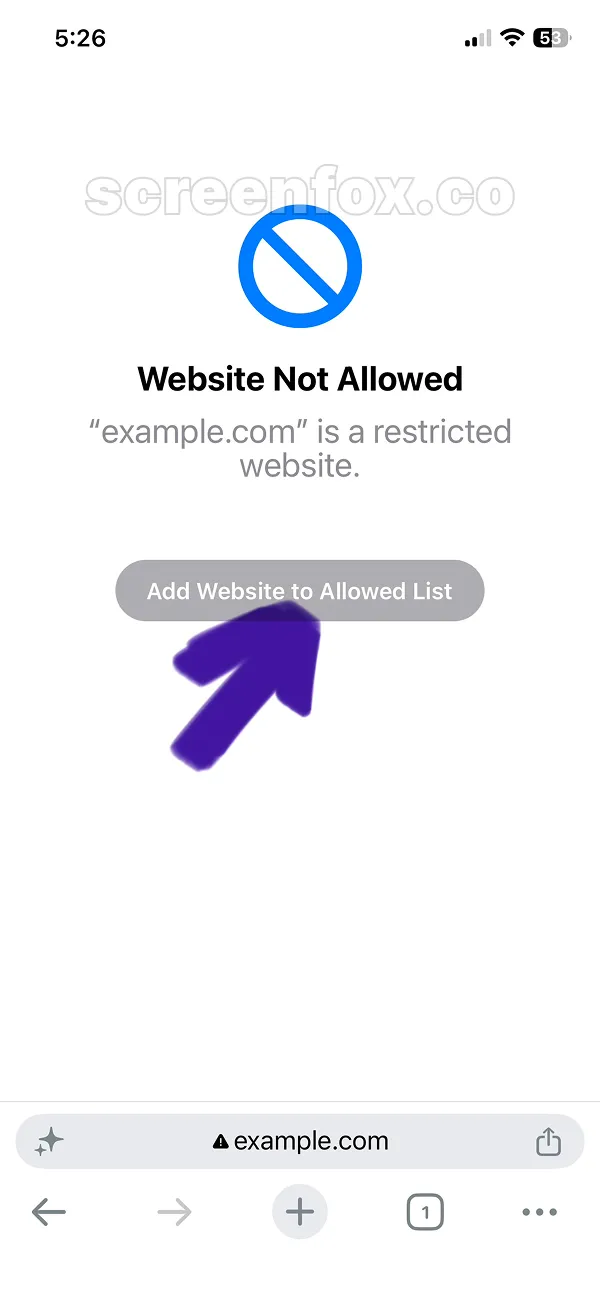
Pressing "Add Website to Allowed List" immediately reactivates sites. For reliable adult content filtering on iPhone, the ScreenFox app is your best option since it prevents easy bypass of website blocks.