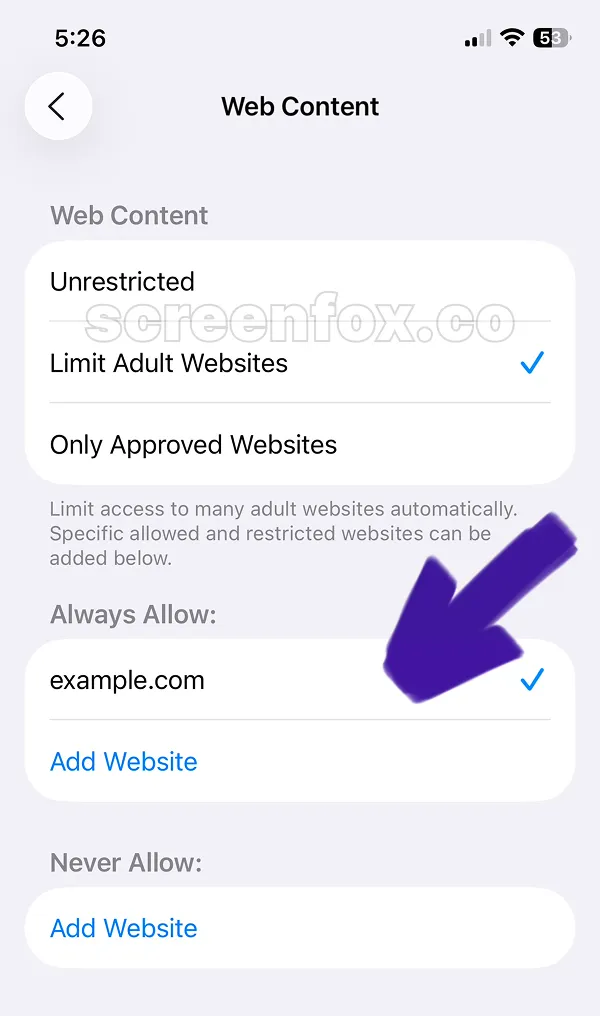


Learn how to block gambling sites on your iPhone using built-in iOS features. Our quick guide with step-by-step images shows you how to restrict access to gambling sites and prevent easy unblocking with the ScreenFox app.
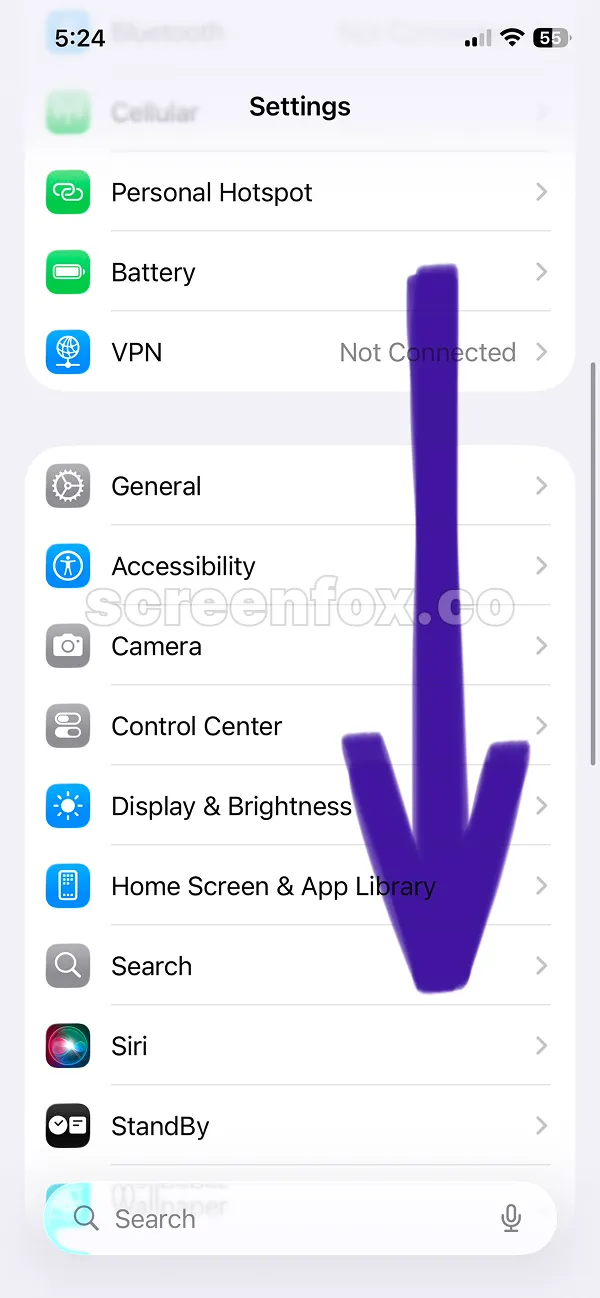
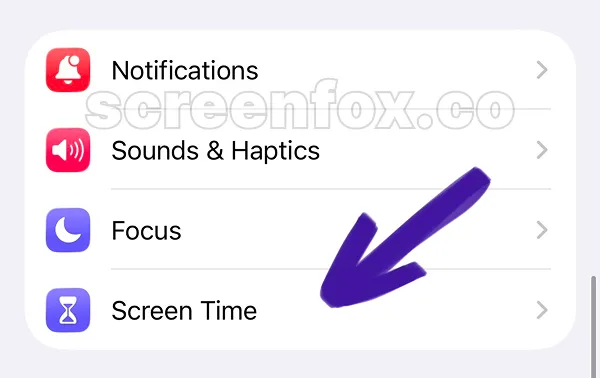
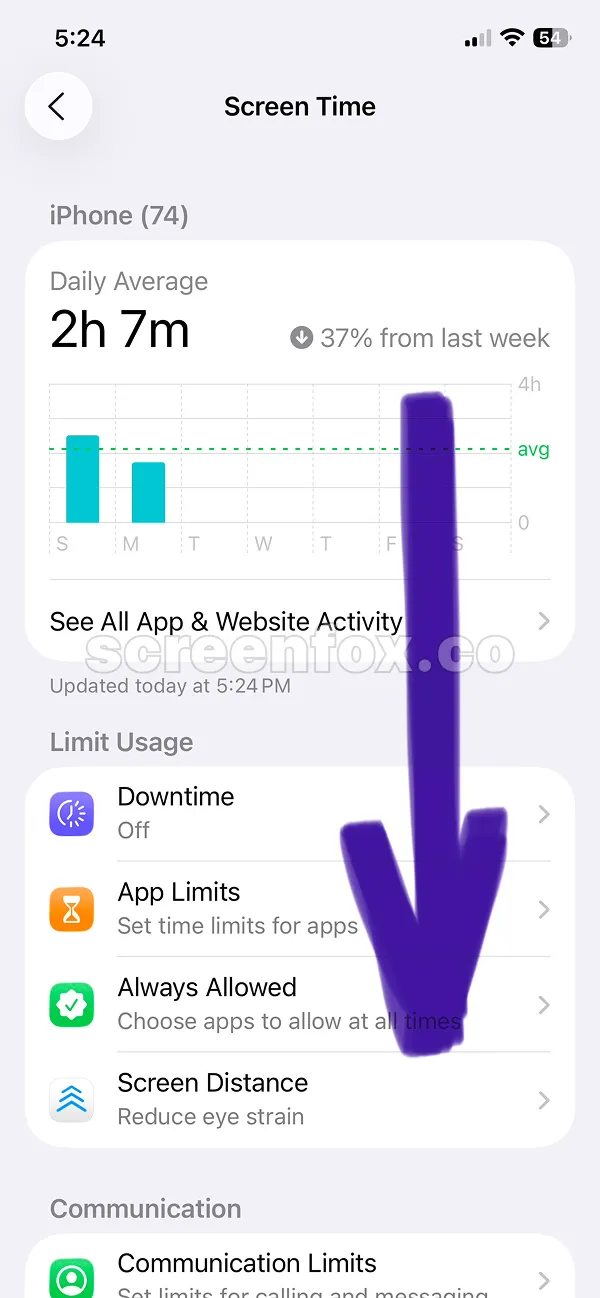
First, open your iPhone Settings app. Scroll down until you find the Screen Time section in settings, as shown in the image below.
Save time by watching our 2-minute video tutorial instead of reading. The instructions are identical—play the video or continue reading our detailed guide to block gambling sites.
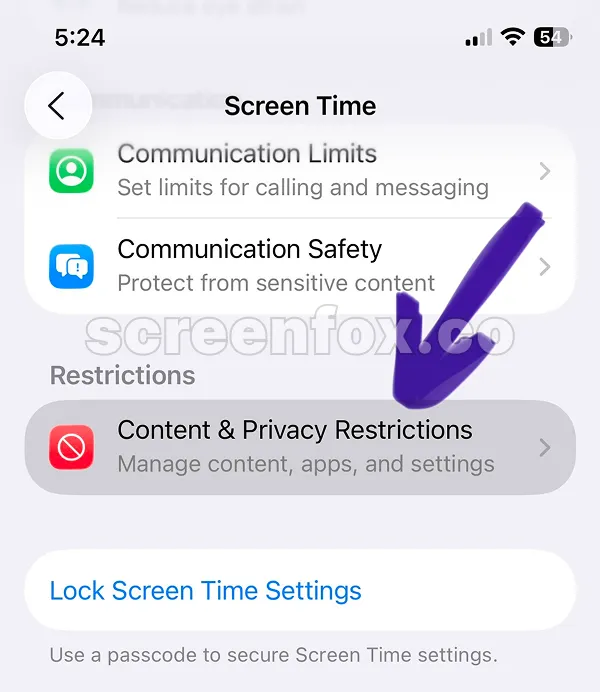
Finding the Content & Privacy Restrictions feature can be tricky. Just follow the images and arrows on screen to locate it correctly.
Tap the Content & Privacy Restrictions button to access the settings screen.
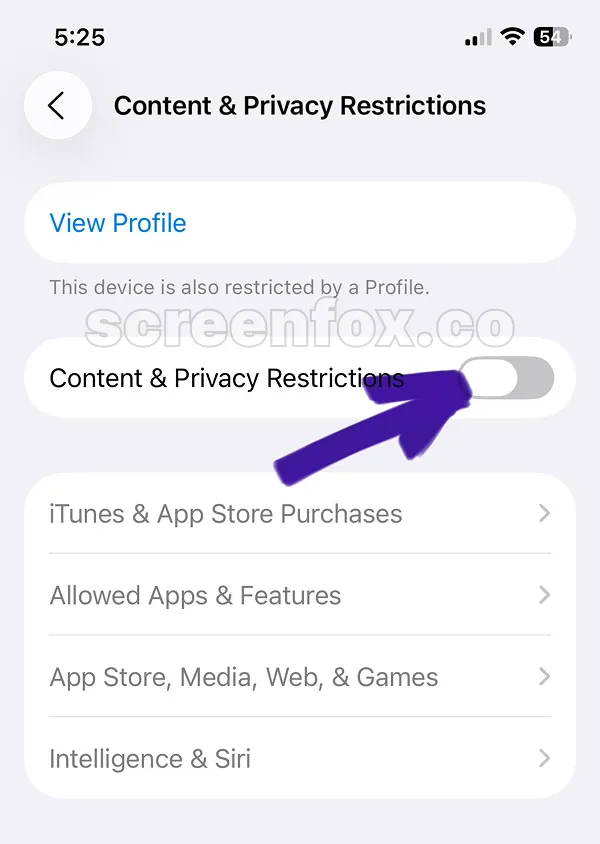
By default, this toggle is disabled. To block gambling sites on iPhone, tap the toggle to turn on restrictions.
Once you've enabled restrictions, you'll see new options appear on your screen.
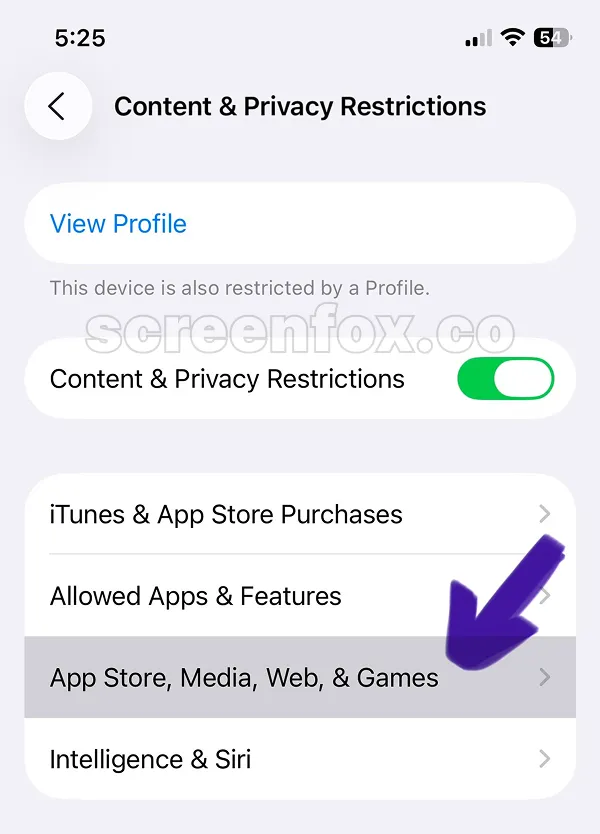
This feature isn't immediately obvious in the menu. Keep scrolling and following the on-screen arrows, then tap the Web Content option.
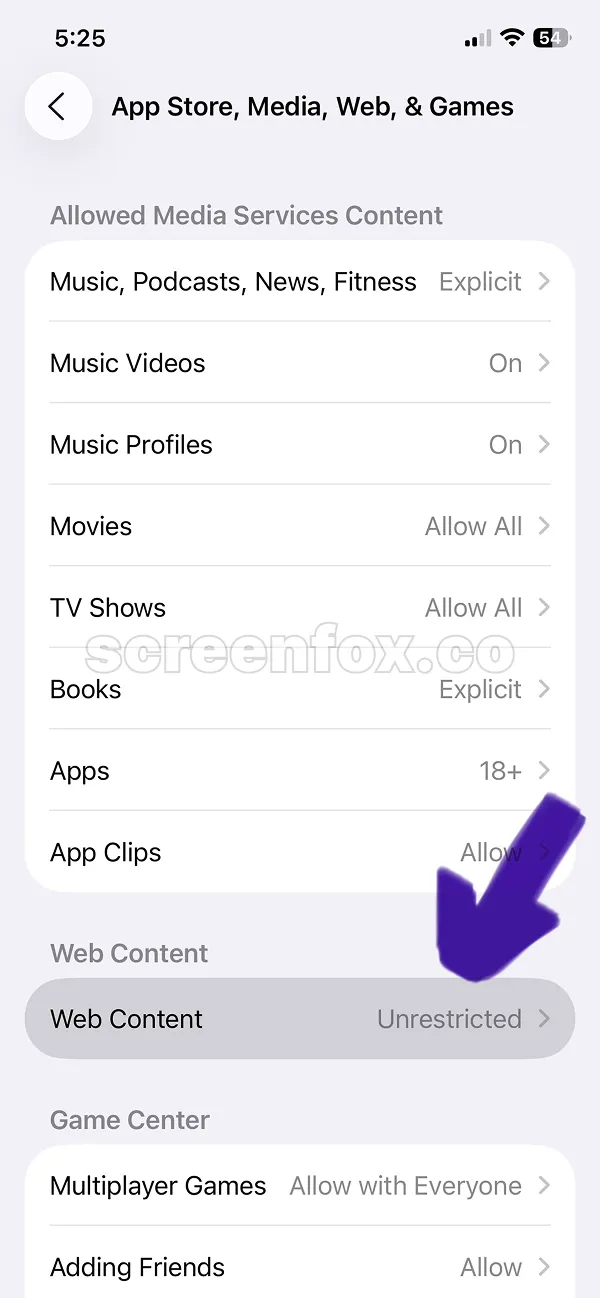
This is the built-in iOS feature to block specific gambling sites on iPhone. Keep reading to learn how to add custom gambling sites to your personal list. Want to block other distractions? Check out our guide on how to block social media on iPhone.
Important: iOS makes it too easy to disable gambling site blocks. The setting can be turned off with just a few taps. Download the ScreenFox app to make blocking gambling sites significantly more difficult to undo.
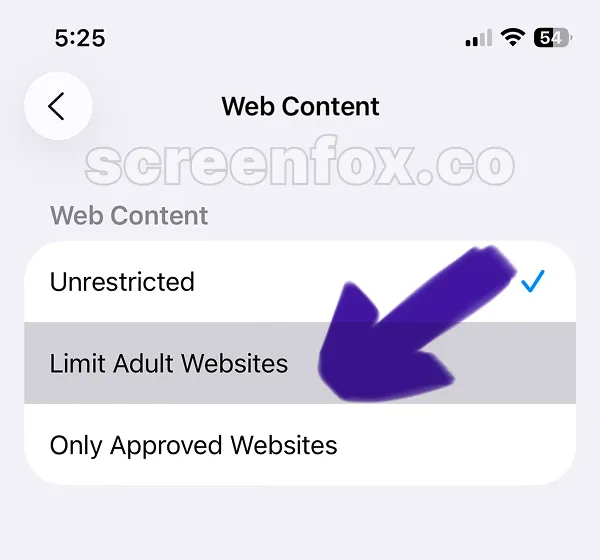
To block a gambling site on iPhone, you need to manually add it here. We recommend copying and pasting the gambling site URL directly from your browser to avoid typing mistakes.
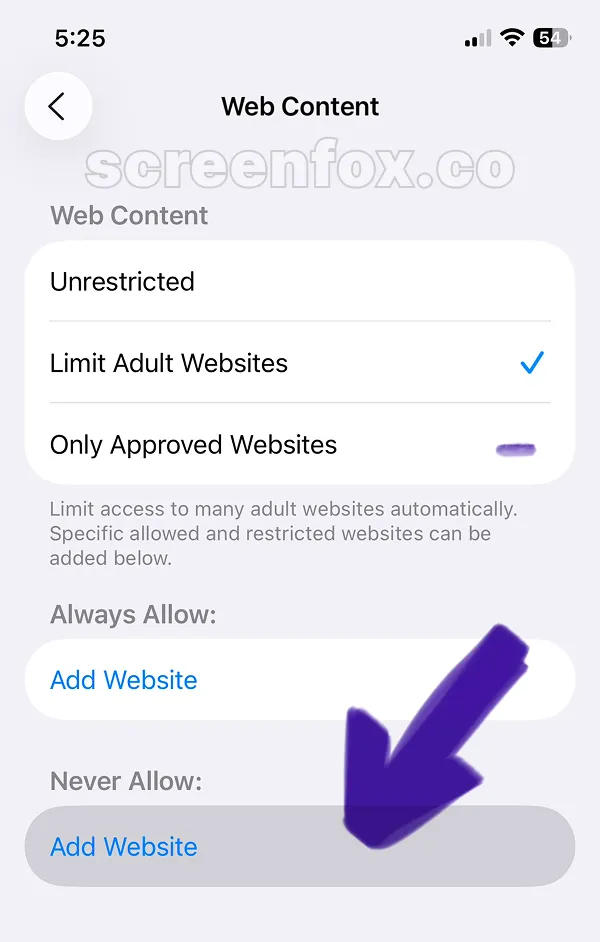
Go to the gambling site you want to block, copy the URL from your address bar, then paste it here. Tap the Add Website button to complete the process of blocking the gambling site on your iPhone.
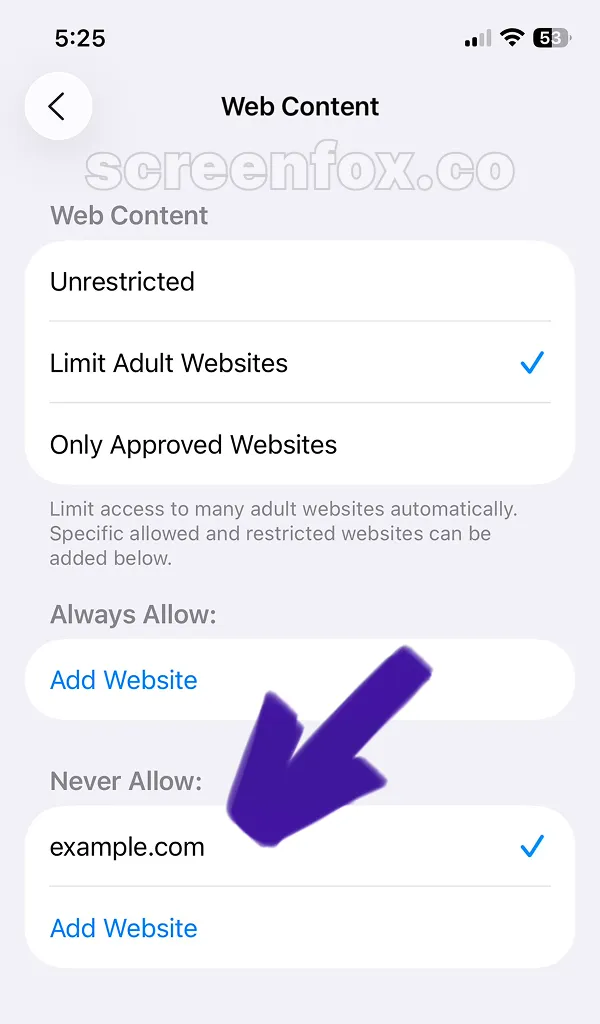
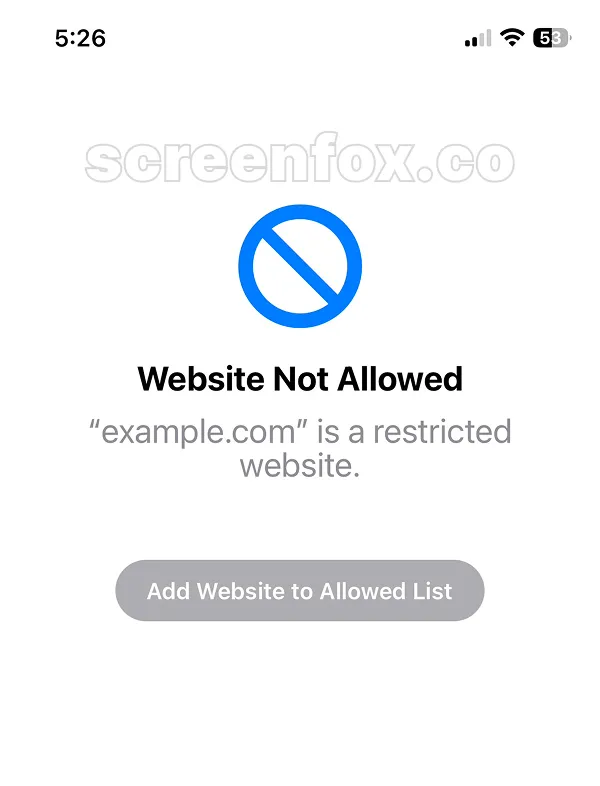
Once you've added a gambling site to your blocked list, that gambling site will be blocked when you try to access it. This blocking works across every browser on your phone—Safari, Chrome, or any other browser.
When you try to open a blocked gambling site, you'll see an access denied message instead. Blocking gambling sites through Screen Time is effective, but there's an important limitation you should understand. Now you know how to block gambling sites on iPhone using Apple's built-in feature.
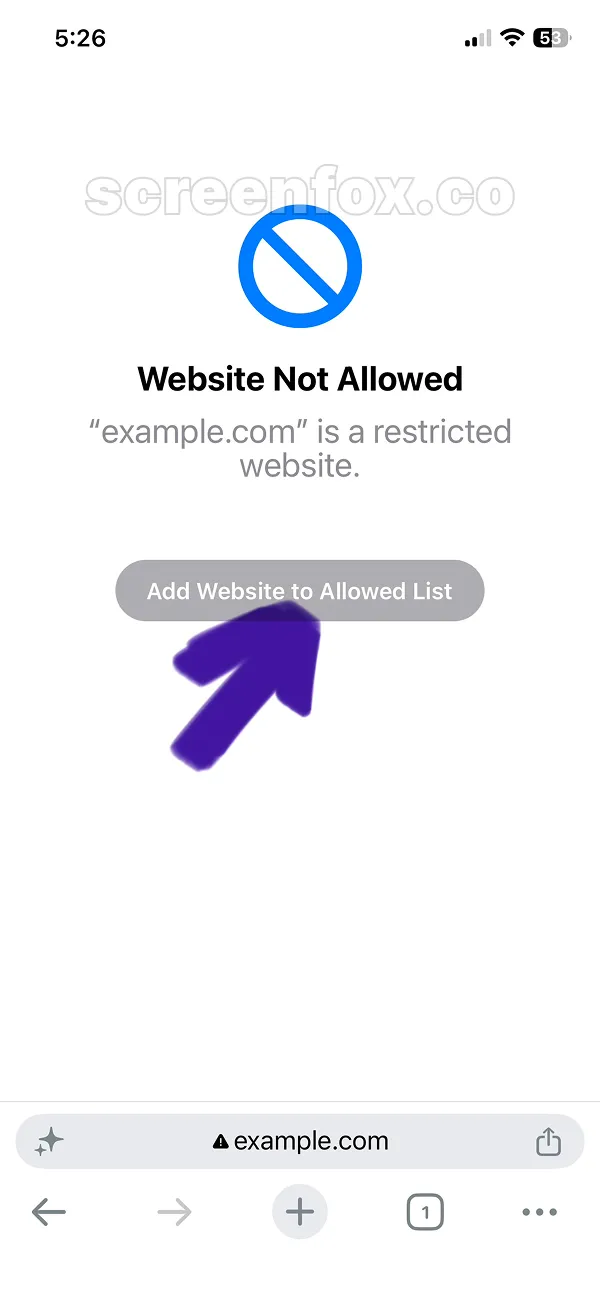
Here's the catch: you can re-enable access to any blocked gambling site by tapping "Always Allow" in the settings. This defeats the purpose if you're relying on willpower to keep gambling sites blocked.
The main issue: The "Always Allow" button makes unblocking any gambling site possible with a single tap. Download the ScreenFox app for a stronger solution—it was specifically designed to make unblocking gambling sites much more difficult.